
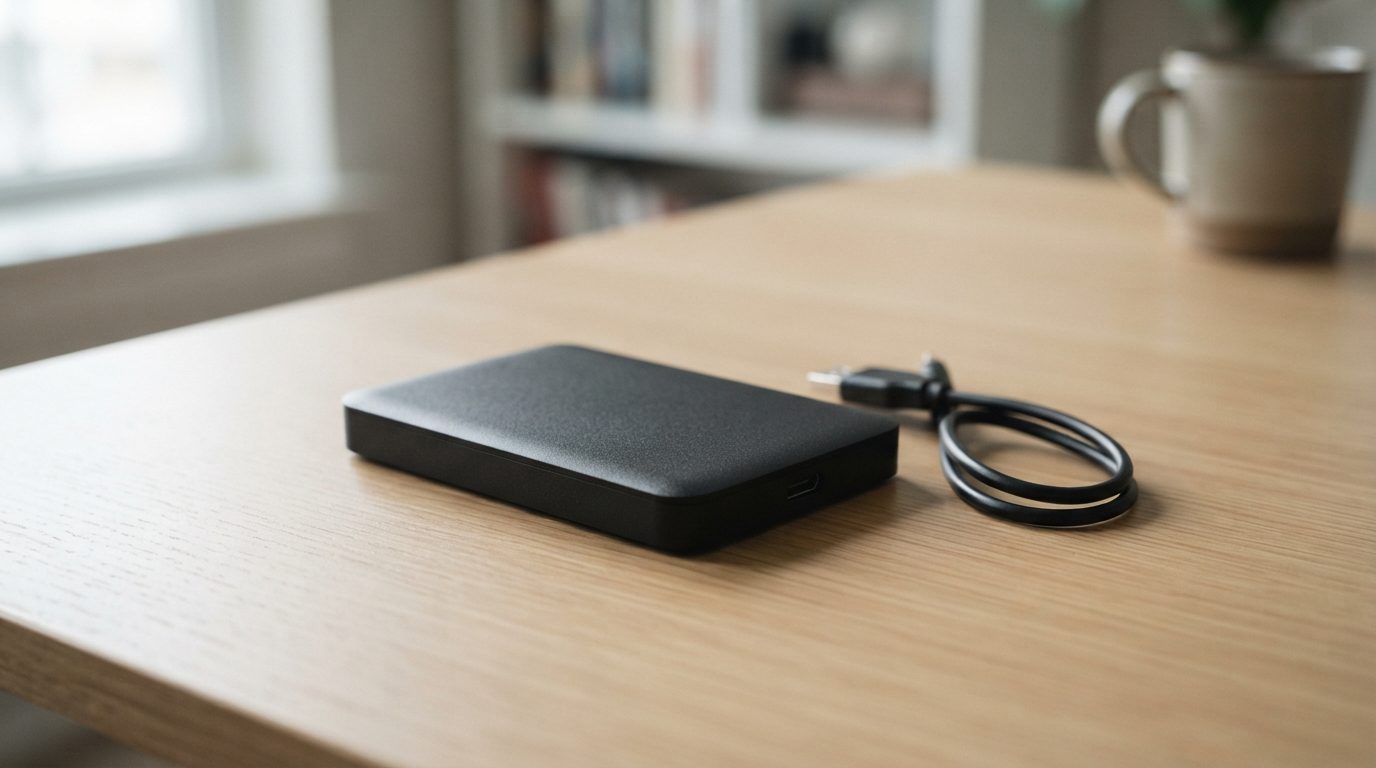
Quick answer: Where to go for external hard drive repair depends on what you need back. If only the cable, port or enclosure failed and none of the files matter, a computer shop or a warranty replacement is fine. If the files matter, or the drive clicks, beeps, was dropped or isn’t detected, take it to a data recovery lab with a cleanroom.
When an external hard drive stops working, most people search for external hard drive repair and take it to the nearest shop. That can be the right move, but sometimes it’s the worst thing you can do. It depends on whether you want a working drive again or the files that were on it. This guide helps you work out which situation you’re in, what you can safely check at home, and who to trust with the drive.
Do you need external hard drive repair or data recovery?
Repair makes a drive usable again. Data recovery gets your files off it, and the drive itself is often not reused afterwards.
The difference matters. A drive with failing read/write heads (the tiny arms that read data from the spinning discs) can be stabilized in a lab just long enough to copy the data. It should never go back into daily use. A shop that “fixes” the drive by formatting it or replacing parts without care may hand you a working device with nothing on it.
Ask yourself one question: would I be upset if every file on this drive disappeared? If the answer is no, a warranty claim or a new drive is the simplest fix. If the answer is yes, treat this as a data recovery job from the start.
What is actually inside an external hard drive?
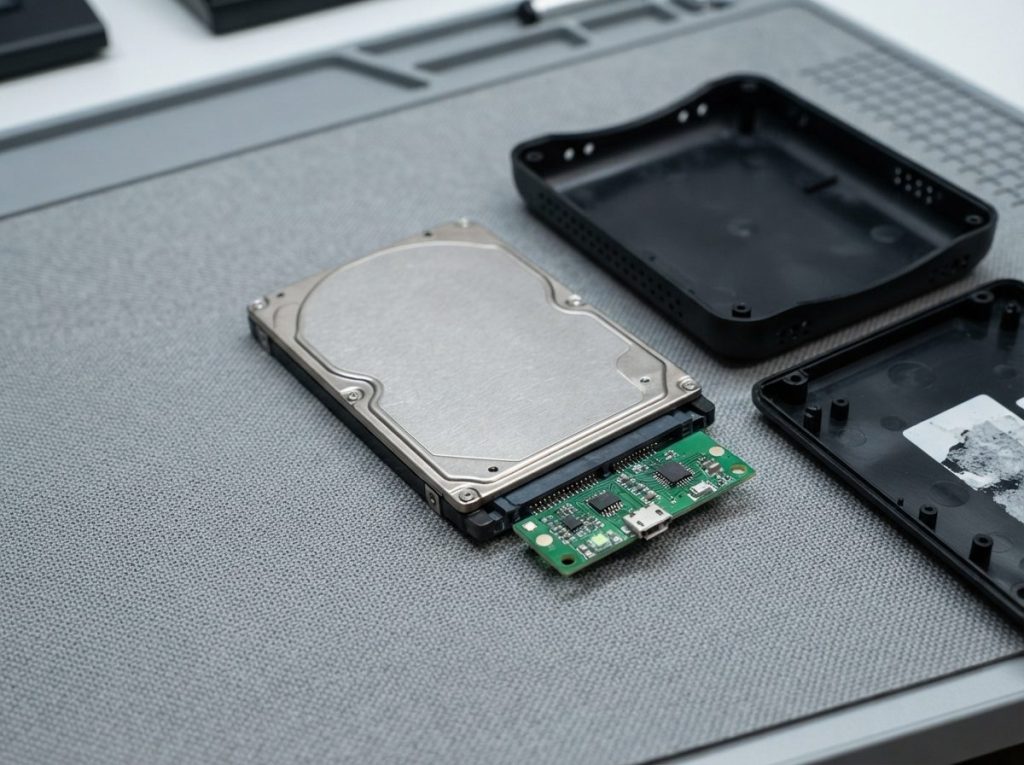
Most external hard drives are a standard 2.5″ or 3.5″ internal drive inside a plastic or metal enclosure, connected through a small USB-to-SATA bridge board.
That bridge board converts the drive’s SATA connection to USB. It can fail on its own, for example after the USB port is bent or pulled out. In that case the drive inside may be perfectly healthy.
There are two important exceptions:
- Native USB drives. Many compact portable drives have the USB port soldered straight onto the drive’s own circuit board (PCB). There is no separate SATA connector to plug into.
- Hardware encryption. Some enclosures encrypt data on the bridge board, even if you never set a password. Moving the drive to a different enclosure can make the data look blank or unreadable.
This is why “just put it in a new case” is not safe advice for a drive with important files. If the enclosure is the problem, the encryption and board details have to be handled correctly.
What can you safely check yourself first?
You can safely rule out cable, port and power problems without touching the inside of the drive.
Do these checks only if the drive is silent or sounds normal. If you hear clicking, grinding or beeping, skip straight to the next section.
- Swap the USB cable. Cables fail more often than people expect, especially the short ones carried in a bag.
- Try another USB port, ideally one directly on the computer, not a hub or front-panel port.
- Check the power. If your desktop drive uses a wall adapter, confirm it’s plugged in and the right adapter for that model.
- Try another computer. This tells you whether the problem is the drive or your system.
- Look in Disk Management (Windows) or Disk Utility (Mac). Just look. If the drive appears but shows as “unallocated”, “RAW” or asks to be initialized, do not click anything.
If the drive shows up but won’t open, our guide on what to do when an external hard drive is not showing up in Windows covers the safe checks in more detail.
Which symptoms mean you should stop using the drive?
Any unusual sound, a recent drop, liquid or a power surge means you should power off the drive and not try again.
| Symptom | Likely cause | What to do | What not to do |
|---|---|---|---|
| Repeated clicking or ticking | Failing read/write heads or damaged platters | Unplug and seek professional evaluation | Don’t keep reconnecting it to “see if it comes back” |
| Beeping or buzzing, no spin-up | Stuck motor or heads stuck to the platters (stiction) | Unplug immediately | Don’t tap, shake or freeze the drive |
| Grinding or scraping | Heads touching the platter surface | Power off right away; every second adds damage | Don’t run any software on it |
| Completely dead, no light, no sound | Cable, adapter, bridge board or drive PCB | Do the safe checks above, then get it assessed | Don’t swap circuit boards from another drive |
| Detected but asks to format or shows RAW | File system damage or a failing bridge | Close the prompt and stop writing to it | Don’t format, initialize, or run CHKDSK or First Aid |
| Very slow, freezes when copying | Bad sectors (areas that can no longer be read reliably) | Stop copying; get it imaged by a lab | Don’t run repeated scans or full copies |
| Dropped, wet, or hit by a surge | Physical or electrical damage | Leave it unpowered and contact a lab | Don’t power it on, charge it, or dry it with a hair dryer |
For more on drives that make noise, see what a clicking hard drive means and what to do.
Is a computer repair shop a good place to fix an external hard drive?
A general computer shop is fine for a broken cable, a damaged port or setting up a replacement drive, but it isn’t equipped for physical drive failures.
Most repair counters work on laptops, screens and software. They usually don’t have a cleanroom, tools to read a failing drive without stressing it, or the ability to repair drive firmware. Common shop approaches, such as running a disk-checking utility or trying recovery software over and over, can make things worse on a weak drive.
The same caution applies to a friend who “knows computers”. Good intentions don’t replace the right equipment. If the data matters and the drive has any physical symptom, the safest repair counter is a data recovery lab.
What does a data recovery lab do differently?
A data recovery lab works from a copy of your drive, never from the original, and opens drives only inside a cleanroom.
At Prime Data Recovery, our North York lab follows the same order for every external drive:
- Free evaluation and diagnosis. We find out whether the fault is in the enclosure, the bridge board, the electronics, the firmware or the mechanics.
- Findings and quote. You get a clear explanation and a price. Nothing happens without your approval.
- Physical repair if needed. Mechanical work, like a head stack replacement using matching parts from a donor drive, is done only in our ISO certified Class 10 cleanroom. Even tiny dust particles can scratch platters (the discs that hold your data).
- Controlled imaging. We make a sector-by-sector copy, called an image, without writing to your drive. Tools such as the PC-3000 and the DeepSpar Disk Imager let us read weak areas gently and skip bad sectors, then return to them later.
- Recovery and verification. Files are rebuilt from the image, not the original. You check the results in a file verification session before delivery.
- Delivery on a new storage device.
Firmware problems are part of this too. Every drive keeps its own operating code in a hidden area called the service area. When that code is damaged, the drive may spin normally but report the wrong size or not appear at all. That is repaired with specialist hardware tools, not with software on your computer.
How do you choose where to send your external hard drive?
Choose a provider that specializes in data recovery, works in a real cleanroom and explains its pricing before starting.
Use this checklist when you compare options:
- Data recovery is their main service, not a side offer at a repair counter.
- They have a certified cleanroom for opening drives.
- They diagnose before quoting and won’t start work without your approval.
- They have a “no data, no fee” policy, so you don’t pay for an unsuccessful recovery.
- They let you check your recovered files before you pay or collect.
- They explain how your data is kept confidential, in line with Canadian privacy law (PIPEDA).
- They give realistic answers and never guarantee a result before seeing the drive.
What common mistakes make external drive recovery harder?
Most avoidable data loss comes from well-meant attempts to fix the drive before a professional sees it.
- Restarting a noisy drive again and again. Each spin-up can spread damage across the platters.
- Clicking “Format” or “Initialize” when the computer asks. This writes new structures over your old ones.
- Running CHKDSK, fsck or First Aid. These tools “fix” the file system by changing it, which can remove files you need.
- Trying several recovery programs in a row. On a failing drive, every long scan uses up its remaining life.
- Opening the drive or the enclosure carelessly. Opening the drive itself outside a cleanroom causes permanent harm. Prying open an enclosure can snap native USB boards or lose an encryption chip’s pairing.
- Swapping the circuit board. Modern drives store unique calibration data (ROM/adaptives) on the board. A board from another drive usually won’t work without it and can cause damage.
When should you get professional help?
Get professional help as soon as the files matter and the simple cable, port and computer checks haven’t solved the problem.
That includes any noise, a drop, liquid, a power surge, a “format this disk” prompt, or a drive that slows down and freezes. Acting early helps. A drive with weakening heads gives the best results when it’s imaged before more wear happens. You can read how this works step by step on our external hard drive recovery page.
Key takeaways
- Decide first whether you need a working drive or your files. They are different jobs.
- Cable, port, power and second-computer checks are safe. Opening, formatting and repair utilities are not.
- Clicking, beeping, grinding, drops, liquid or surges mean: power off and don’t retry.
- Moving a drive to a new enclosure can fail if the original had hardware encryption or a native USB board.
- A proper lab diagnoses first, works from an image and opens drives only in a cleanroom.
Need help with a failed external hard drive?
Prime Data Recovery is an independent data recovery lab in North York, Toronto, with an ISO certified Class 10 cleanroom. We offer a free evaluation, a fast and free diagnostic, and a “No Data, No Fee” policy. You can drop off your drive anywhere in the GTA or ship it from across Canada. Request a free quote and we’ll tell you what’s wrong before any work begins.
Frequently Asked Questions
Can I just move my hard drive into a new external enclosure?
Sometimes, but it's risky when the files matter. Many portable drives have the USB port built into the drive's own board, so there is nothing to move. Others encrypt data on the enclosure's bridge board, so the drive looks blank in a new case. If your data is important, have the drive assessed before you take the enclosure apart.
Can a dropped external hard drive be fixed?
The data on a dropped external hard drive can often be recovered, but the drive itself shouldn't be trusted again. A drop can damage the read/write heads or scratch the platters. Don't power it on to test it, because a damaged head can scrape the surface. Keep it unplugged and have it evaluated in a lab with a cleanroom.
Is it worth repairing an external hard drive or should I just buy a new one?
If you only need storage and the files don't matter, buying a new drive or using the warranty is usually the sensible choice. Repair is worth it when the drive holds files you can't replace, like photos, business records or projects. In that case, the goal is to recover the data, then move it onto a new, healthy drive.
Will a warranty replacement give me my files back?
No. A manufacturer's warranty normally replaces the faulty drive with a different, empty one. Your original drive and its data are usually not returned. If the files matter, have the data recovered before you send the drive in for a warranty claim, and ask about the manufacturer's terms first.
Can I send my external hard drive for recovery if I don't live in Toronto?
Yes. Prime Data Recovery serves the Greater Toronto Area in person and accepts drives shipped from across Canada. Pack the drive in an anti-static bag with plenty of padding inside a sturdy box, and don't power it on again before shipping. Request a quote first so the lab knows your drive is on its way.
Will the data recovery technicians look through my personal files?
A professional lab only accesses what it needs to confirm the recovery worked, like checking that files open correctly. At Prime, data is handled confidentially and in line with Canadian privacy law (PIPEDA). You can also say which folders matter most, so verification focuses on those files and nothing else.
