
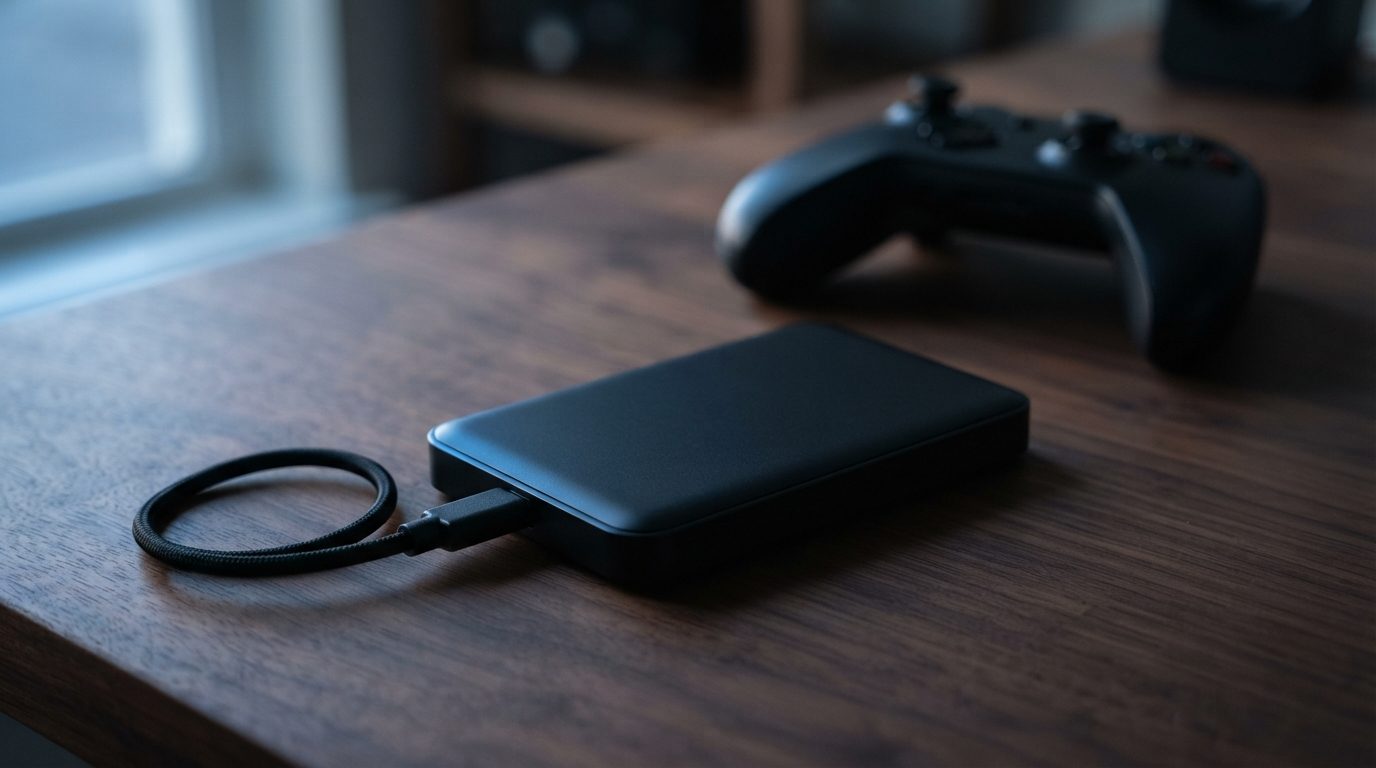
Quick answer: WD Black P10 data recovery is usually possible because the P10 is a portable spinning hard drive, not flash memory. If it clicks, beeps or isn’t detected after a drop, turn it off and leave it off. Never accept a format prompt from your console or PC. A lab can repair the drive and copy your data safely.
If your WD Black P10 game drive suddenly disappears from your console or PC, you might just lose a weekend of downloads. You might also lose years of PC saves, clips and mods. This guide helps you work out which situation you’re in. It covers the safe checks you can do yourself and explains when WD Black P10 data recovery needs a professional.
What is inside a WD Black P10, and why does it matter?
Inside the WD Black P10 is a 2.5″ mechanical hard drive (HDD) connected over USB, so it fails like any laptop-sized hard drive, not like an SSD. That tells you which risks matter and which steps are safe.
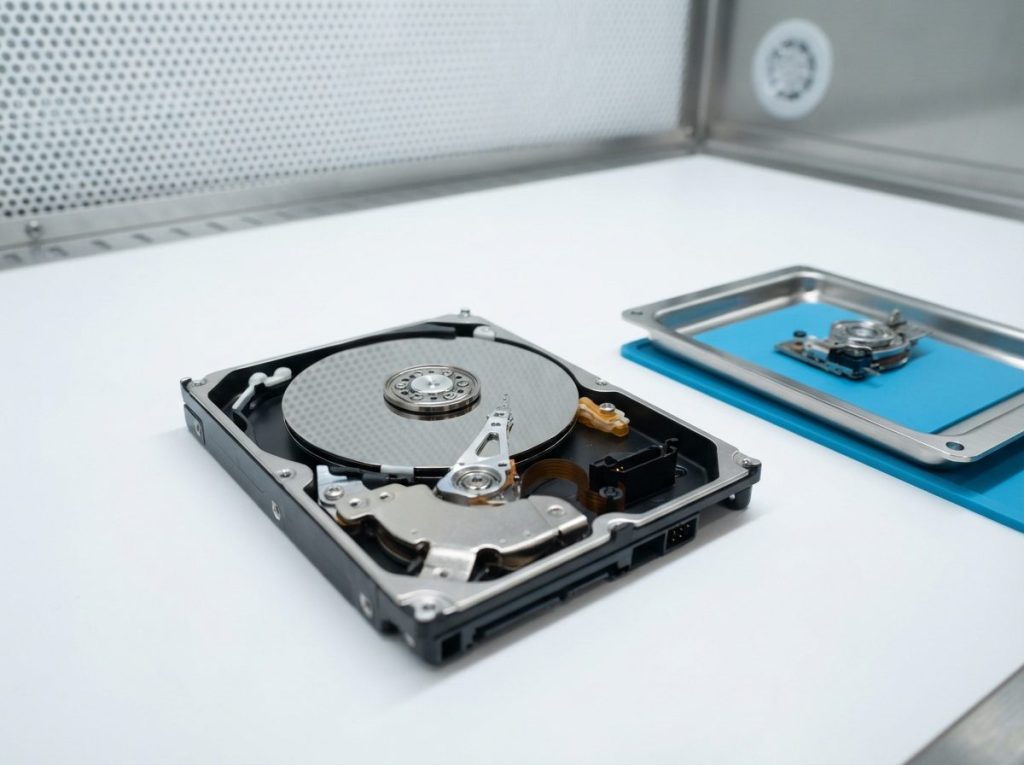
Inside the case, a motor spins magnetic discs called platters. Tiny read/write heads float a few nanometres above them on a thin cushion of air. A drop while the drive is spinning can make the heads touch the surface. Heavy daily use, heat and age also wear the mechanics down over time.
Many compact portable drives also have the USB connection built right into the main circuit board (PCB). There is often no standard SATA connector inside. Taking the drive out of its shell rarely helps, and it can damage the board. That’s one more reason to leave the case closed.
Is your game data actually lost?
Many games on a P10 can simply be downloaded again. Your personal files and some save data are the parts that may be impossible to replace. Before you think about recovery, sort out what was really on the drive.
- Installed games and updates: Usually tied to your account, so you can download them again from your console or PC store.
- Console saves: Usually kept on the console’s internal storage or synced to the platform’s cloud, not on the external drive. Check your cloud saves first.
- PC game saves and mods: Often stored in local folders. If you pointed those folders at the P10, they may only exist there.
- Captures, clips and screenshots: Often copied to external storage by hand, and often not backed up anywhere else.
- Non-gaming files: Lots of people use extra space on the drive for photos, school work or backups. These are usually the most valuable files.
If everything on the drive can be downloaded again, a new drive may be the simplest fix. If you find anything you can’t replace, follow the steps below before you try anything else.
What do the warning signs of a failing WD Black P10 mean?
The way your drive behaves is the best clue to what has gone wrong, and it tells you whether a self-check is safe. Use this table to match what you see and hear.
| Symptom | Likely cause | What to do | What not to do |
|---|---|---|---|
| Repeated clicking or ticking | Damaged or weak read/write heads, or unreadable firmware areas | Unplug it right away and get a professional evaluation | Don’t keep reconnecting it to “see if it comes back” |
| Beeping or buzzing, no spin-up | Heads stuck to the platters (stiction) or a seized motor, often after a drop | Power off and leave it off | Don’t tap, shake or freeze the drive |
| Grinding or scraping | Heads touching the platter surface | Unplug it right away. Every second of spinning can scratch data off the platters | Don’t run any software or scans |
| Silent, no light, not detected | Faulty cable or port, or a failed PCB after a power problem | Try a different cable and port (see checklist) | Don’t swap in a circuit board from another drive |
| Detected but very slow, games freeze while loading | Growing bad sectors (areas of the platter that can no longer be read reliably) | Stop using it. Copy irreplaceable files only if the drive still responds normally | Don’t run repair tools or full scans that read the whole surface over and over |
| Console or PC asks to format the drive | File system damage, often after unplugging during a write or a power loss | Choose “cancel” and disconnect safely | Don’t format, initialize or “repair” it |
What safe checks can you do yourself?
You can safely rule out simple connection problems, as long as the drive makes no unusual noises and hasn’t been dropped, wet or hit by a power surge. If any of those apply, skip this list.
- Listen for a moment when you plug it in. A soft spin-up hum is normal. If you hear clicking, beeping or grinding, unplug it and stop here.
- Try a different cable. Portable drive cables wear out at the connector, and a bad cable can look exactly like a dead drive.
- Use a port on the device itself. Skip hubs, front-panel ports and extension cables. Plug straight into a rear port on a PC or directly into the console.
- Try another computer. This tells you whether the problem is the drive or the device it’s plugged into.
- Look in Disk Management (Windows) or Disk Utility (Mac) without changing anything. If the drive shows up there with its full size, the hardware is probably talking. Don’t click initialize, format or First Aid.
If the drive shows up but the files are missing, the damage is probably logical, meaning a problem with the data structure rather than the hardware. Read-only recovery software does exist for these cases. But every attempt adds wear to a drive that may already be weak. If the data matters, a single controlled copy in a lab is the safer route. Our guide on a WD external hard drive not showing up covers detection problems in more detail.
Which common mistakes make recovery harder?
Most permanent data loss on game drives happens after the first failure, during well-meant attempts to fix it. Avoid these:
- Accepting the format prompt. Consoles and Windows both offer to “fix” a drive they can’t read by formatting it. This writes new structures over your old ones.
- Running CHKDSK, fsck or First Aid. These tools change the file system to make it consistent, and they can throw away the file records a lab would use.
- Reconnecting a clicking drive over and over. Damaged heads can scrape the platters each time the drive spins up.
- Opening the case. Dust is enough to damage platters for good. Drives only get opened in a cleanroom.
- Re-downloading games onto the same drive. New writes can overwrite the files you want back.
- Freezing, tapping or heating the drive. Old internet tricks like these cause condensation and physical damage.
Can a console-formatted P10 be recovered?
Yes, the hardware can be repaired and copied whatever device formatted it. What can be done with that copy depends on the console. A drive formatted on a PC normally uses a common file system such as NTFS or exFAT, and individual files can be rebuilt from a copy of it.
Consoles prepare external drives in their own format. PlayStation extended storage is also encrypted and tied to the console that formatted it. For those drives, the realistic goal is often a working copy on a healthy drive that the original console can read again, not a folder of loose files. Once we’ve seen the drive and know how you used it, we’ll tell you what’s realistic.
When you plug a console drive into a PC, Windows will often say it needs to be formatted. That message is expected. Close it without making changes.
How does professional WD Black P10 data recovery work?
Professional recovery means repairing only what’s needed, making a full copy without ever writing to your drive, and then pulling the files from that copy. At Prime Data Recovery in North York, Toronto, we follow the same order for every hard drive:
- Free evaluation and diagnosis. We test the PCB, motor, heads and firmware. The firmware lives in a hidden area of the platters called the service area. Tools such as PC-3000 Portable III let us diagnose firmware faults without guessing.
- Findings and quote. You get a clear explanation and a quote. Nothing goes ahead until you approve it.
- Physical repair in the cleanroom, if needed. Failed heads are replaced in our ISO certified Class 10 cleanroom. We use matching parts from a compatible donor drive, a process called head stack replacement. Board repairs keep the drive’s unique ROM/adaptives, the calibration data each drive needs to read its own platters.
- Controlled imaging. Imaging means copying the drive sector by sector to healthy storage. A DeepSpar Disk Imager reads the easy areas first and treats weak areas gently, so a fragile drive doesn’t wear out before the copy is done.
- Recovery and file verification. We rebuild the file system from the image with tools such as ACE Lab Data Extractor. Then you check your files in a file verification session before delivery.
- Delivery on a new storage device. Your data comes back on a new drive, never on the failed one.
You can read more on our external hard drive recovery page.
When should you get professional help?
Get professional help if the drive holds files you can’t replace and shows any physical symptom, or if safe checks didn’t solve the problem. In particular:
- It clicks, beeps, buzzes or grinds, or doesn’t spin at all.
- It was dropped, knocked off a console or desk while running, got wet, or was plugged in during a power surge.
- It shows up with the wrong size or no size, or it freezes your system when connected.
- You already tried software and the results were incomplete or the files won’t open.
Prime Data Recovery offers a free evaluation and works on a “No Data, No Fee” basis. Every drive is handled confidentially, in line with Canadian privacy law (PIPEDA). If you aren’t near the GTA, you can ship your drive to us from anywhere in Canada.
How can you protect your next game drive?
A game drive is easy to protect once you treat it as storage that will eventually fail, not as a permanent archive.
- Keep irreplaceable files (PC saves, captures, personal files) in at least one other place.
- Turn on cloud saves on every platform you use.
- Eject the drive properly, and never unplug it while a game is installing or updating.
- Don’t move the drive while it’s spinning, and keep it somewhere it can’t be knocked off.
- Use a surge protector for your console or PC setup.
- Replace the drive if it starts slowing down, makes new noises, or games keep failing to install.
Key takeaways
- The WD Black P10 is a mechanical hard drive, so drops, heat and wear are the main risks.
- Find out what’s really at stake. Games can be downloaded again, but personal files and some saves may not exist anywhere else.
- Clicking, beeping, grinding or no spin-up means power off and leave it off.
- Never accept a format prompt, and never run CHKDSK, fsck or First Aid on the drive.
- Professional recovery repairs only what’s needed, copies the drive without writing to it, and recovers files from that copy.
If your WD Black P10 holds files you can’t afford to lose, unplug it and request a free quote from Prime Data Recovery. Our North York lab offers a fast, free diagnostic, and you only pay if we recover your data.
Frequently Asked Questions
Can I recover my game saves from a dead WD Black P10?
Often you don't need to. On consoles, save data is usually kept on internal storage or synced to the platform's cloud, not on the external drive. Check your cloud saves first. PC saves are different. If your save or mod folders were on the P10, they may only exist there. Then a lab can image the drive and rebuild those folders.
Why does my PC say I need to format my WD Black P10?
Windows asks this when it can't read the drive's file system. The file system may be damaged, or the drive may have been formatted by a console. In either case, click cancel. Formatting writes new structures over the old ones and makes recovery harder. If the drive is from a console, plug it back into that console. If it was a PC drive, have it evaluated.
Is it worth taking the hard drive out of the WD Black P10 case?
Usually not. Many compact portable drives have the USB connection built into the drive's own circuit board, so there's no standard SATA connector to plug into once it's out. Prying the case open can crack the board or jolt the drive. The enclosure isn't the problem in most failures, so keep the drive in one piece for evaluation.
How long can I keep using a WD Black P10 that has started making noise?
Don't keep using it at all if the data matters. New clicking, ticking or grinding usually means the heads or another mechanical part is failing. Each spin-up can do more damage, including scratches on the platters that wipe out data for good. Copy nothing, unplug the drive and get a professional evaluation.
Can a drive used on an Xbox or PlayStation be recovered in Toronto?
Yes. Prime Data Recovery in North York can repair and image console-formatted drives like any other hard drive. Consoles use their own drive formats, and PlayStation extended storage is encrypted to the console, so the usual goal is a working copy that the original console can read again. We explain what's realistic after the free evaluation.
