
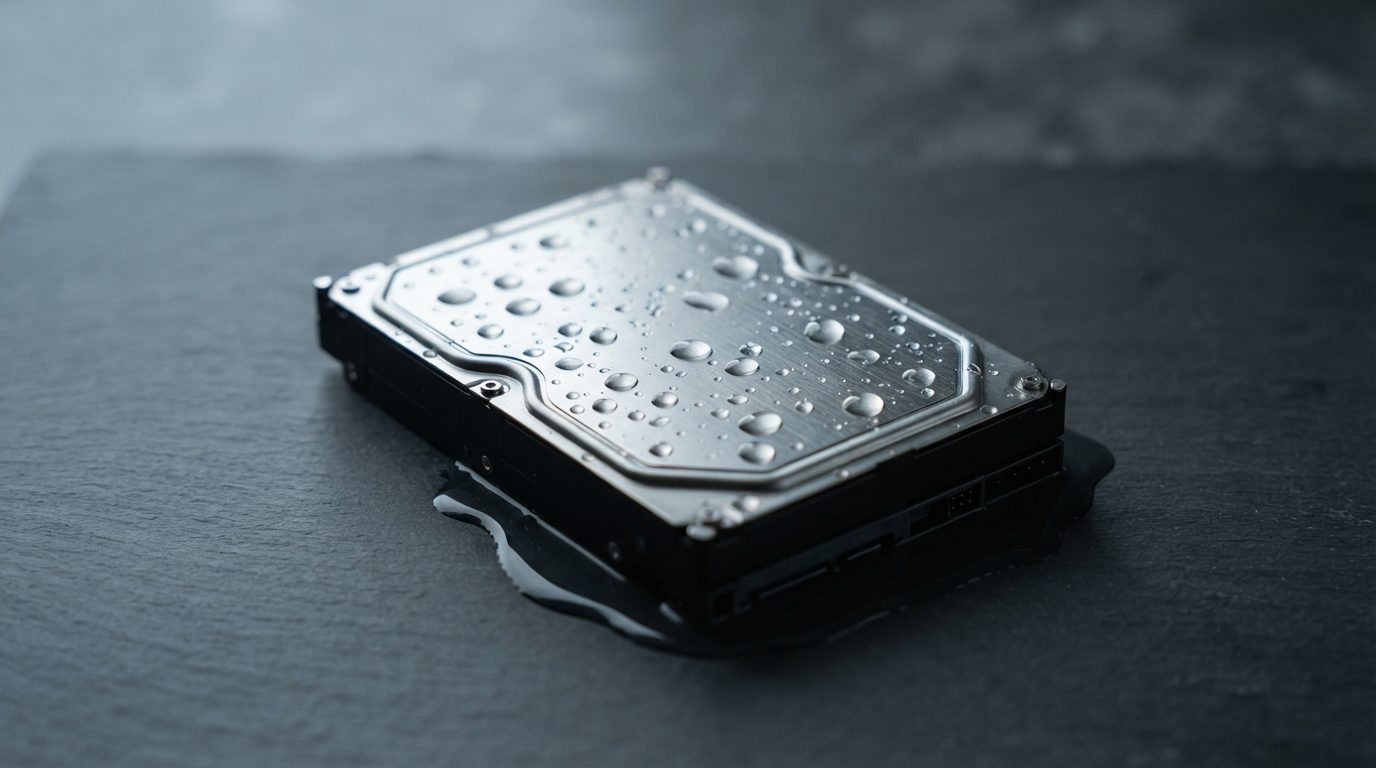
Quick answer: If your hard drive got wet, unplug it and leave it off. Do not power it on to test it, dry it with heat, put it in rice, shake it or open it. Wipe the outside gently, put it in a clean sealed bag and get a professional evaluation soon. Corrosion keeps working while you wait.
A water damaged hard drive feels like a disaster, but your files often survive the spill itself. The bigger danger is what happens next: switching the drive on to “see if it still works”, or trying to dry it at home. This guide explains what to do in the first hour, why water harms a drive, and how recovery works when it is needed.
What should you do right after a hard drive gets wet?
The safest first step is to cut all power and keep the drive switched off until someone has checked it.
Water conducts electricity. If current flows through a wet circuit board, it can short out parts that were fine a minute earlier. Follow these steps in order:
- Disconnect power. Unplug the USB or power cable. For a laptop, unplug the charger and hold off on pressing the power button. Remove the battery only if it comes out without tools.
- Take the drive out of the water if it is still sitting in it. Keep it level and avoid tilting it back and forth.
- Dab the outside with a lint-free cloth or paper towel. Do not wipe into ports or connectors.
- Bag it. Place the drive in a clean, sealed plastic bag to keep dust and dirt away.
- Write down what happened: the type of liquid, how long the drive was wet, and whether it was running at the time. This helps the technician plan the work.
- Get it evaluated quickly. Hours and days matter more with liquid than with most other failures.
If the drive is inside a laptop or desktop, leave it in place. Removing it yourself is not dangerous to the data if you are careful, but it is also not needed. A lab can take the drive out safely.
What should you never do with a water damaged hard drive?
Never power on, heat, shake or open a wet hard drive, because each of these can turn a recoverable drive into a lost one.
- Do not turn it on to test it. One power-up on a wet board can burn out the motor controller or other chips.
- Do not use a hair dryer, oven, heater or sunny window. Heat can warp parts and bakes mineral residue onto surfaces.
- Do not bury it in rice. Rice cannot draw moisture out of the sealed interior, and starch dust adds a new contaminant.
- Do not open the cover. Inside is a clean, sealed space. A single dust particle can scratch the surface where your data lives.
- Do not run repair tools like CHKDSK, fsck or Disk Utility First Aid if the drive appears later. They write to the drive and can damage weak areas further.
- Do not rinse it under the tap. Tap water adds minerals. Any cleaning belongs in a controlled lab.
Why does water damage a hard drive?
Water harms a hard drive in three ways: it causes electrical shorts, it starts corrosion, and it leaves residue that can reach the inside of the drive.
Short circuits on the PCB
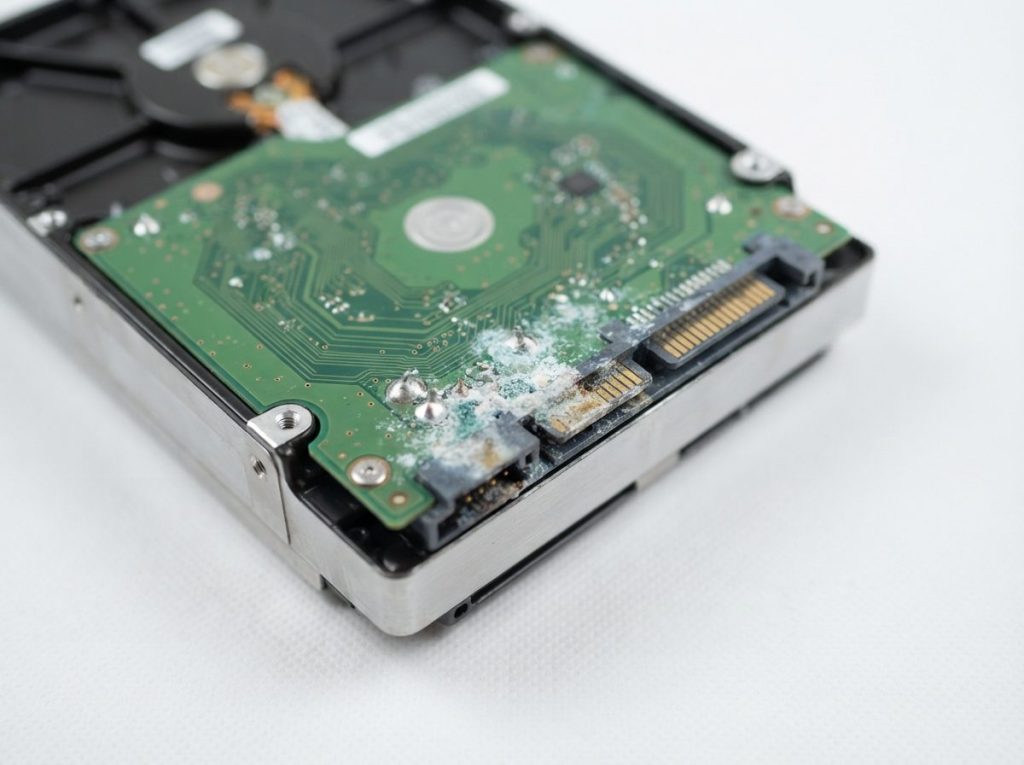
The PCB (printed circuit board) is the green board on the underside of the drive. It controls the motor, the heads and communication with your computer. When water bridges two contacts and power is applied, current goes where it should not. Parts can fail instantly.
Corrosion that keeps spreading
Metal contacts, solder joints and board traces start to corrode once they meet water. Dissolved salts and minerals speed this up. Corrosion does not stop when the surface looks dry. Residue stays behind and keeps reacting with moisture in the air.
Contamination inside the drive
Most standard hard drives are not airtight. They have a small breather hole with a filter that lets air pressure equalize. Under water, liquid can enter through that hole. Inside, the platters (the spinning disks that store your data) and the read/write heads (tiny sensors that float just above the platters) must stay perfectly clean. Dried residue can make the heads stick to the platter, called stiction, or cause them to scrape the surface when the drive spins up.
Helium-filled drives are sealed against the outside air, so liquid is less likely to get inside. Their PCB and connectors are still exposed, though, so the same rules apply.
Does the type of liquid change the odds?
Yes, the liquid matters: clean fresh water is the least harmful, while salt water, sugary drinks and floodwater cause faster and heavier damage.
| Liquid | Main risk | What it means for you |
|---|---|---|
| Clean tap or bottled water | Shorts if powered; mineral residue | Often a good outlook if the drive stayed off |
| Coffee, juice, pop, beer | Sticky, acidic residue; fast corrosion | Get help within a day or two if you can |
| Salt water (lake trips, ocean travel) | Very aggressive corrosion | Treat as urgent; do not let it sit |
| Basement flood or sewer backup | Dirt, silt, bacteria and chemicals | Handle with gloves, bag it and send it in quickly |
Spring thaw and heavy summer storms cause basement flooding across Ontario. If your drive or desktop sat in floodwater, tell the lab so it can handle the device safely.
What symptoms tell you how bad the damage is?
The way a wet drive behaves, if it was already powered on, helps narrow down the damage. Use this table as a guide, not a test. Do not power the drive on just to check.
| Symptom | Likely cause | What to do | What not to do |
|---|---|---|---|
| Got wet while switched off, never powered since | Possible moisture on PCB or inside | Keep it off, bag it, get an evaluation | Test it “just once” |
| Was running when the spill happened, then shut off | Short circuit on the PCB | Leave it off; PCB repair may be needed | Swap in a board from another drive |
| Burning smell or visible scorch marks | Burned components on the board | Power off and do not retry | Reconnect it to see if it spins |
| Clicking, scraping or grinding after the spill | Contaminated platters or damaged heads | Power off right away | Restart it again and again |
| Spins but is not detected, or very slow | Corroded contacts, weak heads or bad sectors | Stop using it; get it imaged by a lab | Run CHKDSK or recovery software |
| External drive case wet, drive seems fine | Moisture may have reached the USB bridge board or the drive | Copy critical files once if already running, then shut down and get it checked | Keep using it as normal |
A note on board swaps: modern drives store unique calibration data, called ROM/adaptives, on a chip on the PCB. A replacement board without that chip moved over will not work, and can cause harm.
Can data be recovered from a water damaged hard drive?
In many cases, yes. Data can often be recovered from a water damaged hard drive, especially if it was never powered on while wet and reached a lab promptly. The outcome depends on the liquid, how long it sat, and whether the platters were contaminated.
The data itself is stored magnetically on the platters. Water does not erase it. Recovery fails mostly when the platter surface is physically scratched, usually because a contaminated drive was spun up. No honest lab can promise results before an evaluation, but quick, careful handling gives you the best chance.
How do professionals recover a wet hard drive?
Professional recovery follows a fixed order: diagnose, clean and repair, make a safe copy, then rebuild the files from that copy.
Here is how we handle a wet drive at Prime Data Recovery in North York, step by step:
- Free evaluation and diagnosis. We inspect the drive without powering it first. We check the PCB for corrosion and burned parts, and look for signs that liquid got inside.
- Findings and quote. You get a clear explanation and a quote. Nothing goes further without your approval.
- Cleaning and physical repair. The PCB is cleaned of residue and damaged parts are repaired or replaced, with the ROM/adaptives carried over. If the inside is contaminated, the drive is opened only in our ISO certified Class 10 cleanroom. Platters can be cleaned, and damaged heads may need a head stack replacement with parts from a matching donor drive.
- Controlled imaging. Imaging means copying the drive sector by sector to a healthy device, without writing anything to the original. Tools such as the DeepSpar Disk Imager and PC-3000 let us read weak areas gently and skip bad sectors (damaged spots) before returning to them.
- Recovery and file verification. We rebuild the file system, such as NTFS, APFS, HFS+ or exFAT, from the image. Then you check your files in a file verification session before delivery.
- Delivery on a new device. Your recovered data comes back on new storage. A water damaged drive should not go back into service.
You can read more about each stage on our data recovery process page, or see our hard drive data recovery service for other failure types.
Is a wet external or laptop drive any different?
The first steps are the same, but external and laptop drives add their own weak points.
An external drive has a small USB bridge board between the drive and the USB port. Water can damage that board while the drive inside is fine, or the other way around. Some external models have the USB port built straight onto the drive’s own PCB, which affects how the lab recovers it. See our external hard drive recovery page for details.
In a laptop, a spill on the keyboard can run down to the motherboard and the drive bay. Unplug it and do not turn it back on. If your laptop uses an SSD instead of a spinning drive, the cause and repair are different. Our laptop data recovery service covers both.
When should you get professional help?
Get professional help whenever a drive that holds files you care about has been wet, even if it looks dry now. Our water damaged hard drive recovery service starts with a free evaluation in our North York lab.
This matters most if the drive was running when it got wet, if you notice any smell, noise or detection problem, or if the liquid was salty, sugary or dirty. There is no safe way to clean the inside of a drive at home. Home drying may make it look fine, but it leaves residue that can short or corrode later.
Common mistakes to avoid
- Waiting a week “for it to dry out” before calling anyone.
- Plugging it into a different computer to see if that one works.
- Using compressed air to blow water out of ports, which can push it deeper.
- Throwing the drive away before anyone has evaluated it.
Key takeaways
- Unplug a water damaged hard drive right away and keep it off.
- No heat, rice, shaking, rinsing or opening the case.
- Salt water, drinks and floodwater cause faster corrosion than clean water.
- Water does not erase data, but spinning a contaminated drive can scratch the platters.
- Recovery means cleaning, repair, cleanroom work if needed, and imaging before any file recovery.
Need help with a wet hard drive?
Prime Data Recovery is an independent lab in North York, Toronto, with an ISO certified Class 10 cleanroom. We offer a free evaluation, a “No Data, No Fee” policy and confidential handling that follows Canadian privacy law. You can drop off your drive in the GTA or ship it from anywhere in Canada. Request a free quote or call (416) 661-1112 to get started.
Frequently Asked Questions
My hard drive got wet but still works. Is it safe to keep using?
Not for long. Residue left by water can keep corroding the circuit board and connectors after the drive seems fine. If the drive is already running, copy your most important files to another device once. Then shut it down and stop using it. If you hear odd noises or see errors while copying, stop right away and get a professional evaluation.
How long can a wet hard drive sit before data is lost?
There is no exact deadline, because it depends on the liquid and the conditions. Corrosion starts soon after contact and moves faster with salt water, sugary drinks or floodwater. Clean water gives you more time, but waiting days or weeks still lowers the chances. Keep the drive off, bag it and get it evaluated as soon as you can.
Are helium hard drives waterproof?
No. Helium drives are sealed so the inside is better protected from liquid than standard drives with a breather hole. But the circuit board, connectors and power components sit on the outside and can still short or corrode. Treat a wet helium drive exactly like any other: keep it unplugged, do not try to dry it with heat, and have it checked.
Can a hard drive from a flooded basement still be recovered?
Often, yes, though floodwater is harder on drives than clean water because it carries silt, chemicals and bacteria. Wear gloves, place the drive in a sealed plastic bag without drying it, and tell the lab it came from a flood. Recovery usually needs careful board cleaning and may need cleanroom work if contamination reached the platters.
Should I take the hard drive out of my wet laptop or desktop?
You do not need to. Unplug the computer, remove the laptop battery only if it comes out without tools, and bring in the whole machine or ship it as is. A lab can remove the drive safely. Never power the computer on to test it, because water on the motherboard or drive board can short when power is applied.
