
Quick answer: A broken SSD can often still give up its data, because your files live on the NAND memory chips, and those chips often survive a drop, crack or spill. Power the drive off and leave it off. Don’t dry it with heat or try to repair it. Then have it evaluated professionally. Each new power-up can turn a fixable fault into a permanent one.
A broken SSD is stressful because it gives you no warning. One moment the laptop slips off a table or coffee hits the keyboard. The next, the drive is gone from your computer. The good news is that physical damage to a solid-state drive often hits the parts around the data, not the data itself.
This guide explains what actually breaks inside an SSD. You’ll learn how to tell which kind of damage you’re dealing with, what to do (and avoid) in the first hour, and how a lab gets the files back.
Can you recover data from a broken SSD?
Yes, in many cases. Data from a broken SSD can often be recovered as long as the NAND flash chips that hold your files are intact and the controller’s data layout can be rebuilt.
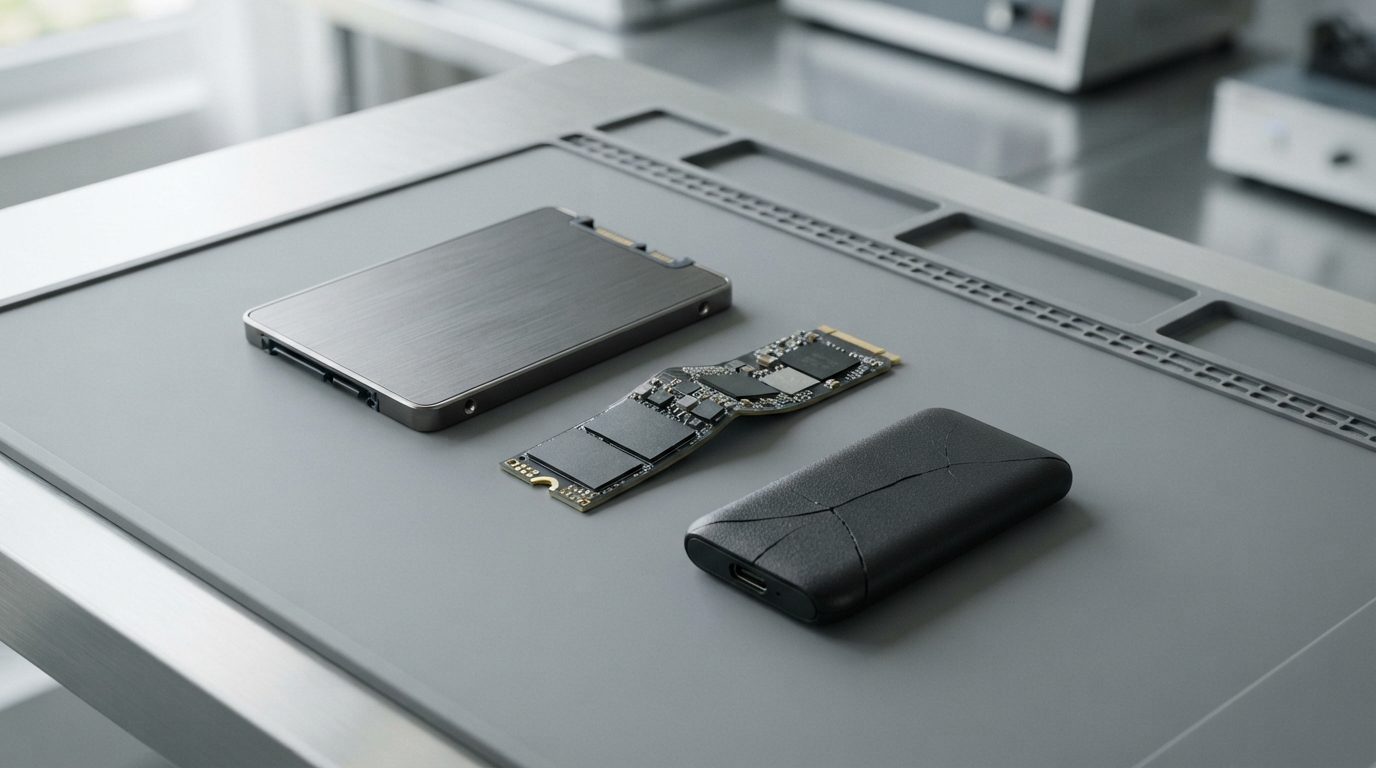
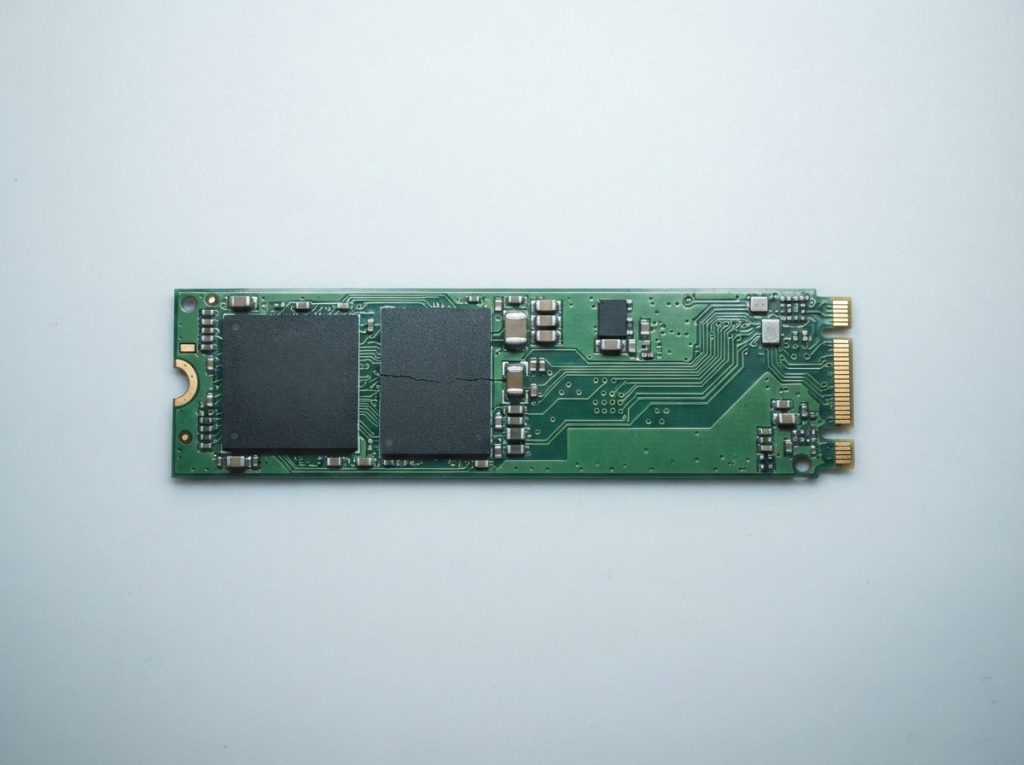
An SSD has no moving parts. It’s a circuit board (the PCB) carrying a controller, the small processor that manages everything, plus one or more NAND chips that store the data. Small parts like capacitors, resistors and power regulators keep everything running. Usually there’s a connector as well: SATA, M.2 or USB.
When a drive is “broken”, the failed part is often a connector, a power part or a cracked trace (a copper path on the board). Those faults can be repaired. Things get much harder when the controller or the NAND chips themselves are cracked or burned.
What actually breaks when an SSD is dropped, bent or soaked?
Physical damage to an SSD usually falls into one of five groups, and each one puts your data at a different level of risk.
Cracked PCB or broken traces
A hard knock or a bend can leave hairline cracks in the board that you can’t see. A crack can cut the traces between the controller and the NAND, or between the connector and the controller. The drive may go completely dead, or it may show up and drop out at random.
Damaged components and solder joints
Every chip is soldered to the board. Shock can crack a solder joint under the controller or knock off a tiny capacitor. Thin M.2 sticks bend easily, so this happens a lot when they’re forced into a slot or flexed while installing a heatsink.
Snapped or bent connectors
The M.2 edge connector, the SATA port on a 2.5″ drive and the USB port on a portable SSD are the weakest points. On an external SSD there may be a separate USB bridge board that converts USB to SATA or NVMe. Other designs build USB straight onto the main board. A broken port on its own is one of the easier faults to work around.
Liquid damage and corrosion
Liquid causes two problems. If power is on while the board is wet, it can short and burn parts right away. Even with no power, minerals and sugars left behind start corroding contacts and solder joints over time. That’s why speed matters with spills.
Heat, fire and electrical surges
Extreme heat can warp the board and stress the solder under the chips. A power surge or a faulty charger can fry the power circuits. Sometimes the surge stops at a protective part. Sometimes it reaches the controller.
Which symptoms point to which kind of damage?
How your broken SSD behaves gives a useful first clue about the fault. Use this table to decide what to do next.
| Symptom | Likely cause | What to do | What not to do |
|---|---|---|---|
| Drive not detected after a drop | Cracked trace, broken solder joint or damaged connector | Power off and remove the drive if that’s easy and safe | Don’t keep reseating it or flexing the board to “find the spot” |
| M.2 stick visibly bent or snapped | Broken traces near the bend; chips may be cracked | Keep all pieces together in an anti-static bag | Don’t straighten it or glue pieces back together |
| Laptop or drive got wet | Short circuit risk, then corrosion | Disconnect power and the battery if possible; get it evaluated soon | Don’t charge it, power it on, use a hair dryer or bury it in rice |
| Burning smell or scorch mark after a surge | Failed power circuit; the controller may be affected | Stop using the power source; keep the drive off | Don’t test it on another computer “just to check” |
| Detected but drops out, freezes or reports 0 GB | Intermittent contact from a crack, or controller in a fault state | If the data matters, stop and get professional help | Don’t run disk repair tools, initialize or format |
| Works normally after a drop | Possibly fine, or a weakened joint that fails later | Copy important files to another device now | Don’t install software or write large amounts of data to it |
What should you do in the first hour after damaging an SSD?
The safest first hour after damaging an SSD comes down to one rule: keep power away from it and handle it as little as possible.
- Cut the power. Shut the computer down. If it’s a laptop that got wet, unplug the charger and, if the battery comes out easily, take it out.
- Don’t try it again. Each new attempt can push current through a cracked or shorted board.
- Handle it gently. Hold the drive by its edges and don’t bend it. If it’s out of the computer, store it in an anti-static bag.
- For liquid, skip heat and rice. Blot only the outside with a lint-free cloth. Heat speeds up corrosion and can warp parts. Rice does nothing for liquid trapped under chips.
- Keep every piece. If the board or connector snapped, the fragments matter.
- Write down what happened. Note the drop height, the type of liquid, whether it was powered on, and what you saw afterwards. This helps the diagnosis.
- Get an evaluation. The sooner, the better, especially with liquid.
What are the most common mistakes with a broken SSD?
Most permanent data loss from a damaged SSD comes from well-meant attempts to fix it, not from the original accident.
- Powering it on “one more time”. On a wet or shorted board, this is how a repairable fault turns into a burned controller.
- Swapping chips or boards. Your data is laid out by its own controller, and on many drives it’s also encrypted with a key that lives in that controller. Moving NAND to another SSD won’t make the files readable.
- Running repair tools. If an unstable drive shows up for a moment, CHKDSK, Disk Utility First Aid or fsck may write changes based on bad reads. Initializing or formatting is worse.
- Trying lots of recovery programs. Software can’t fix hardware. Repeated scans keep stressing a drive that’s barely holding on.
- Waiting too long after a spill. Corrosion keeps working while the drive sits in a drawer.
How do professionals recover data from a physically damaged SSD?
Professional recovery from a physically damaged SSD aims to get the original controller working again, because that’s the most reliable way to read the data as it was written.
At Prime Data Recovery in North York, the work follows the same order as our standard data recovery process:
- Free evaluation and diagnosis. We inspect the board under magnification for cracks, corrosion and damaged parts, and test the power circuits without risking the chips.
- Findings and quote. You get a clear explanation and a quote. Nothing goes ahead without your approval.
- Repair. Depending on the damage, this can mean cleaning corrosion, rebuilding broken traces, replacing failed parts or working around a snapped connector. If the controller is stuck in a firmware fault, tools like PC-3000 SSD can talk to it directly.
- Controlled imaging. Imaging means making a complete sector-by-sector copy of the drive. All later work is done on that copy, never on the original.
- Recovery and file verification. We rebuild the file system (NTFS, APFS, exFAT or ext4, for example) from the image. Then you check your key files in a file verification session.
- Delivery on a new storage device.
When is chip-off used?
Chip-off means removing the NAND chips and reading them directly. Equipment like PC-3000 Flash and Rusolut Visual NAND Reconstructor then puts the raw data back together. It can work when the board can’t be saved. But it’s limited on many modern SSDs. Their controllers spread data across chips in their own patterns and often encrypt it in hardware, so without a working controller the raw chip contents may be unreadable. That’s why repairing the original board almost always comes first.
What about laptops with soldered storage?
Some laptops, including many recent MacBooks, have the storage chips soldered to the main logic board instead of on a removable SSD. The data is also tied to the security chip on that board. Here, recovery depends on getting the logic board itself running again. Swapping parts won’t work.
When should you get professional help?
Get professional help straight away if your broken SSD holds files you can’t replace. That’s especially true if the drive got wet, smells burnt, is cracked or bent, or no longer shows up.
The only safe step at home is a light check of things outside the drive. Try a different cable on an external SSD, or another USB port, and only if there was no liquid, surge or visible damage. If the drive still isn’t detected, stop there. Our guide on how to recover data from a failed SSD covers non-physical failures like firmware faults and worn-out NAND, if that sounds more like your situation.
If your SSD uses BitLocker, FileVault or another kind of encryption, find your password or recovery key before you send it in. Without it, even a perfectly repaired drive will stay locked.
Key takeaways
- Your files sit on the NAND chips, which often survive damage that kills the drive.
- Keep power away from a dropped, wet or burnt SSD. Every power-up is a risk.
- Never use heat, rice, chip swaps, repair tools or formatting on a damaged drive.
- Repairing the original board is usually the best route; chip-off is limited by controller encryption.
- With liquid damage, a quick evaluation gives corrosion less time to spread.
Need help with a broken SSD?
Prime Data Recovery is a highly rated data recovery lab in North York, Toronto. We offer a free evaluation, a 30-minute fast and free diagnostic, confidential handling and a “No Data, No Fee” policy. Customers across Canada can ship their drives to us. Learn more about our SSD data recovery service, or request a free quote to get started.
Frequently Asked Questions
Can a snapped M.2 SSD be fixed?
Sometimes. It depends on where it broke. If the break runs through the edge connector or an area with only traces, a technician can often bridge the broken paths well enough to read the data once. If the controller or a NAND chip is cracked, it's much harder. Keep every piece, don't glue anything, and have the drive inspected under magnification before deciding.
Does putting a wet SSD in rice help?
No. Rice only absorbs moisture from the air around it. It can't reach liquid trapped under chips or between solder joints, and it leaves dust and starch behind. Minerals or sugars from the liquid keep corroding the board while it sits there. The better move is to keep the drive powered off, blot the outside only, and have it professionally cleaned and assessed soon.
Can I move the memory chips from my broken SSD to an identical working one?
Generally not. Each SSD controller spreads data across its chips in its own way and keeps its own records of where everything sits. Many controllers also encrypt data with a key stored internally. Moving the NAND to another board, even the same model, usually gives unreadable data, and the desoldering heat can damage the chips. Professionals repair the original board whenever possible.
Is data recoverable from a broken SSD that used BitLocker or FileVault?
Yes, if the drive can be repaired and you still have the password or recovery key. Software encryption is applied on top of the stored data, so a lab can recover the encrypted volume and then unlock it with your credentials. Without the key, the recovered data stays unreadable. Look up your recovery key, often saved in your Microsoft or Apple account, before sending the drive.
My external SSD's USB port broke off. Is my data still there?
Most likely, yes. A torn-off USB port usually damages only the connector and the traces right next to it, not the memory chips. Depending on the design, a technician can restore the connection or reach the drive's internal interface directly and image the data. Avoid pressing loose wires against the port or soldering it yourself, because a short could reach the controller.
