
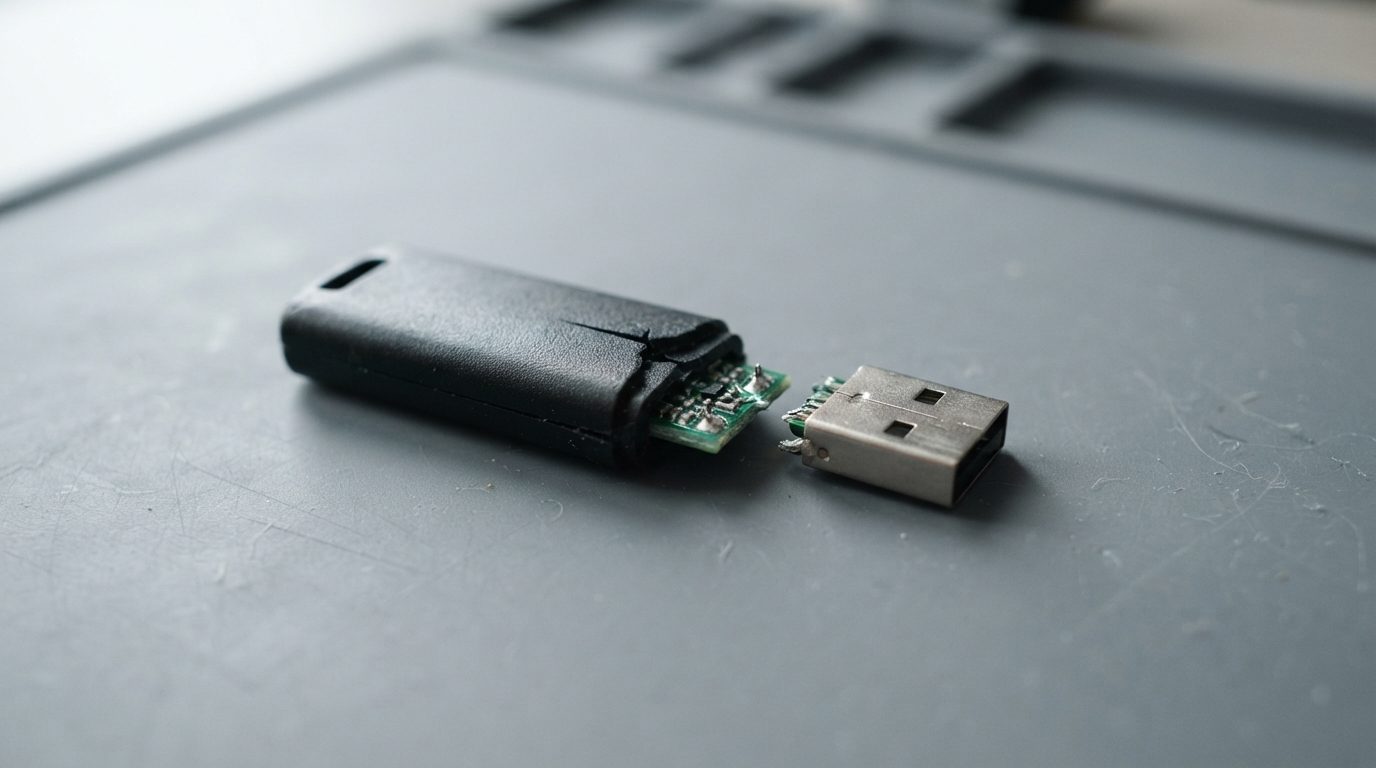
Quick answer: Data on a broken flash drive can often be recovered if the memory chip itself is not cracked. Stop plugging the drive in. Don’t glue, bend back or solder the connector, and keep every piece. A lab can repair the damaged connections, or remove the memory chip and rebuild your files from a raw read of the chip.
A USB stick that snapped in a laptop port, got stepped on or went through the wash feels like a lost cause. Usually it isn’t. With a broken flash drive, the files sit on a small memory chip inside, and that chip often survives damage that wrecks the plug or the case.
This guide explains what the damage you can see probably means and which “quick fixes” do the most harm. It also covers how professionals get data off a flash drive that no longer connects.
Can data be recovered from a broken flash drive?
Yes, in many cases. A USB flash drive keeps your files on one or more NAND memory chips. NAND is the type of flash memory that holds data with no power. If those chips are physically intact, the data is usually still there. That’s true even when the plug, the circuit board or the case is broken.
The weak points of a flash drive are mechanical. The USB plug is held to a thin circuit board by a few tiny solder joints. When the plug bends or snaps, those joints tear, and sometimes the copper pads lift off the board with them. The drive goes “dead”, but the memory chip a centimetre away may be untouched.
Recovery is unlikely only when the NAND chip itself is cracked, shattered or burnt through. Nobody can promise a result before looking at the drive, so a proper evaluation always comes first.
What does the damage on your flash drive mean?
The visible damage tells you roughly where the problem is and what to avoid. Use this table as a guide, not a diagnosis.
| What you see | Likely cause inside | What to do | What not to do |
|---|---|---|---|
| USB plug snapped off completely | Solder joints torn, pads possibly lifted from the board | Keep both parts together in a small bag or envelope | Don’t push the plug back on, tape it or hold it in place to “try once” |
| Plug bent at an angle | Cracked solder joints or cracked board traces under the plug | Leave it as it is and stop using it | Don’t straighten it with pliers; that can finish off the break |
| Drive works only when the plug is wiggled or held | Intermittent contact from a broken joint | Unplug and stop | Don’t wiggle it while it’s connected; a brief short can damage the controller |
| Cracked or split casing | Impact that may have flexed or cracked the circuit board | Copy files once only if it connects normally, then stop | Don’t keep using it as everyday storage |
| Circuit board snapped in two | Severed traces; the chip may or may not be intact | Collect every fragment, including tiny components | Don’t plug in either half |
| Wet, burnt smell or scorch marks | Corrosion or electrical damage to the controller | Keep it unplugged; let a lab assess it | Don’t plug it in “to test”, and don’t heat it to dry it |
| No visible damage after a drop, now not detected | Cracked joint under a chip or a failed controller | Try a different port once, then stop | Don’t format it if the computer asks you to |
Why doesn’t gluing or re-soldering the plug fix it?
Gluing or re-soldering rarely helps because the real damage is on a scale you can’t see or work on with household tools. Inside the case is a small PCB (printed circuit board). It carries the USB plug, the controller (the chip that manages the drive) and the NAND memory. Thin copper traces link them all.
When a plug breaks off, it often pulls up the pads it was soldered to. Glue doesn’t conduct electricity. A blob of hobby solder bridges neighbouring contacts. Then the 5-volt power line can touch a data line, and that can destroy the controller in an instant.
A few other risks are easy to miss:
- Heat: Too much heat from a soldering iron can damage the NAND chip, which holds your only copy of the data.
- Static: A static discharge from your fingers onto exposed parts can kill a chip without leaving any visible sign.
- Hidden evidence: Failed repairs leave extra solder, glue and lifted pads. A technician then has to undo all that before the real work can start.
There’s one more reason. You can’t just move the memory chip to an identical new USB stick. The controller doesn’t store your files in a simple order. It spreads data across the chip to even out wear (wear levelling), adds error-correction codes and often scrambles the data. Only the original controller, or software that rebuilds its logic, can put the pieces back in the right order.
What should you do right after your flash drive breaks?
The safest first step is to unplug the drive and keep it unplugged. After that:
- Remove it gently. If the plug snapped off inside a port, shut the computer down before you try to get the piece out. Don’t use metal tweezers on a live port.
- Collect every piece. Plug, casing, board fragments, even a small part that fell off. A lab may need them.
- Store it dry and protected. A small zip bag or an envelope inside a padded box works well. Don’t tape the parts together.
- Don’t power it to test it. Every connection attempt on damaged hardware is a chance for a short.
- Write down what happened. Note whether it was dropped, bent, wet or overheated, and whether it was encrypted. This helps the diagnosis.
- Check for other copies. Look in cloud folders, e-mail attachments, your phone or an older computer. You may need fewer files recovered than you think.
- Get a professional evaluation if the files matter and no other copy exists.
What common mistakes make recovery harder?
Most damage that can’t be undone happens after the break, from well-meant repair attempts. Watch out for these:
- Pressing the snapped plug back on and plugging it in “just for a minute”.
- Bending a crooked plug straight, which often turns a cracked joint into a torn-off pad.
- Using super glue or epoxy on the board. It can flow under components and has to be removed later.
- Clicking “Format disk” when Windows or macOS offers it, or running CHKDSK or First Aid on a drive that behaves oddly. These tools write to the drive and can overwrite file system structures.
- Running one recovery program after another on a drive that connects only now and then. Each attempt stresses a failing connection.
- Drying a wet drive with a hair dryer or plugging it in while damp.
- Throwing away “useless” fragments such as the snapped plug or a tiny component.
How do professionals recover data from a broken flash drive?
Professional recovery doesn’t try to make the stick usable again. It gets a complete, safe read of the memory chip. The method depends on how badly the board is damaged.
1. Evaluation under magnification
The technician opens the casing and inspects the board under a microscope. They look for lifted pads, broken traces, cracked components and the condition of the NAND chip. Electrical checks show whether the controller still responds. The result is a clear finding and a quote before any work starts.
2. Board-level repair
If the board and controller are fine and only the connection is broken, the fastest path is often micro-soldering. The technician rebuilds damaged pads or traces, or runs fine jumper wires around the break. Then the drive is temporarily working again, just long enough to copy everything off it.
3. Chip-off recovery
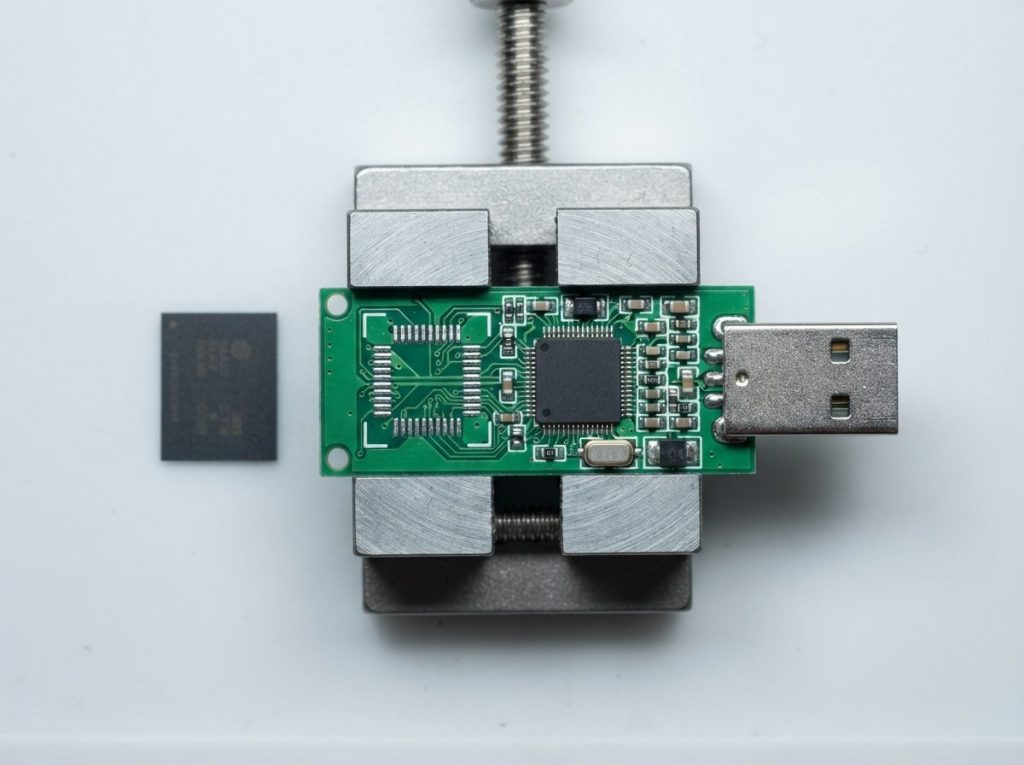
When the board is snapped or the controller is dead, the next step is chip-off. The NAND chip is carefully desoldered from the board, cleaned and placed in a reader that dumps its raw contents. Tools such as PC-3000 Flash and Rusolut Visual NAND Reconstructor then rebuild what the controller would normally do. They correct bit errors, undo the scrambling and put the pages back in the right order. Only then do the folders and files become readable again.
4. Monolithic drives: a special case
Many very small “nano” USB sticks and most microSD cards are monolithic. The controller and memory are sealed together in one flat package, so there’s no separate chip to remove. Recovery means finding tiny test points on the package and connecting to them directly. This work is slower and more specialized, but often still possible.
As with any recovery, the work happens on a copy, and the original chip is only read, never written to. Prime Data Recovery follows the same order for every device. You can see each stage on our page about how the data recovery process works.
Is your drive standard or monolithic? A quick decision guide
You can often tell the likely recovery route from the shape and condition of the drive:
- Normal-sized stick, plug snapped or bent, board in one piece: Board-level repair is often possible.
- Normal-sized stick, board snapped or controller burnt: Chip-off is the likely route, as long as the NAND chip is intact.
- Tiny low-profile stick that barely sticks out of the port, or a microSD card: Probably monolithic, so test-point access is needed.
- Drive with a keypad or built-in hardware encryption: The original controller usually has to be repaired, because a raw chip read stays encrypted. You’ll need the password.
- Memory chip visibly cracked or shattered: Recovery is unlikely, but get it assessed before you give up.
When should you get professional help?
Get professional help when the files matter and the flash drive is physically damaged in any way. With physical damage, software can’t help: a computer can’t read a drive whose connection is broken.
The one exception is a drive with a cracked case that still connects normally, with no wiggling or holding. In that case, copy your most important files to another device once, then stop using it. If it drops out during the copy, don’t keep retrying.
Prime Data Recovery is an independent lab in North York, Toronto. We handle USB flash drive recovery, including snapped connectors, chip-off and monolithic devices. You can bring a broken flash drive to the lab or ship it from anywhere in Canada. Evaluation is free. Our “No Data, No Fee” policy means you don’t pay for recovery if we can’t get your data. You also review the recovered files in a verification session before delivery. Board repair and chip-off cost more than simple logical recoveries, and the data recovery cost page explains what affects the price.
Key takeaways
- A broken flash drive often still holds its data, because the NAND memory chip usually survives damage to the plug or case.
- Unplug it, keep every piece and don’t test it again.
- Gluing, bending or hobby-soldering the plug can short the controller and make recovery harder.
- Moving the memory chip to a new USB stick doesn’t work, because the controller scrambles and spreads the data.
- Labs use micro-soldering, chip-off or monolithic test-point access, depending on the damage.
- Recovery is unlikely only if the memory chip itself is cracked or burnt.
Need files from a broken USB stick?
If your flash drive snapped, bent or stopped working after a drop, keep it unplugged and request a free quote. Our North York lab will evaluate it and explain your options before any work begins. We handle your data confidentially.
Frequently Asked Questions
Can a flash drive that snapped completely in half be recovered?
Often, yes, as long as the break runs through the circuit board and not through the memory chip. In that case a technician can remove the NAND chip and read it directly, then rebuild the files in software. If the break passes through the chip itself, recovery is unlikely. Keep both halves and any loose parts together so they can be inspected.
Will a warranty replacement get my files back?
No. A manufacturer's warranty usually replaces the device with a new, empty one, and the original drive is often kept or destroyed. If the files matter, don't send the broken flash drive in for warranty until the data has been recovered. You can usually claim the warranty afterwards, depending on the manufacturer's terms.
Can a regular computer repair shop fix a broken USB stick?
Some shops can re-solder a connector, but data recovery needs more than a working plug. Lifted pads, hidden board cracks and controller damage need micro-soldering under magnification. A dead controller means chip-off and software reconstruction of the data layout. A failed general repair can make that later work harder, so for important files go to a data recovery lab first.
What if my broken flash drive was encrypted?
Drives encrypted with software you set up on your computer can usually be recovered, and you then unlock the recovered volume with your password. Drives with built-in hardware encryption or a keypad are harder. The controller holds the encryption key, so the original board usually has to be repaired instead of reading the chip on its own. Either way, you'll need your password.
Is my data kept private when a lab opens my flash drive?
A reputable lab handles your device and files confidentially and only accesses what's needed for the recovery. Prime Data Recovery handles data in line with Canadian privacy law, PIPEDA. Recovered files are reviewed with you in a verification session and delivered on a new storage device. If you have specific confidentiality needs, mention them when you request a quote.
