
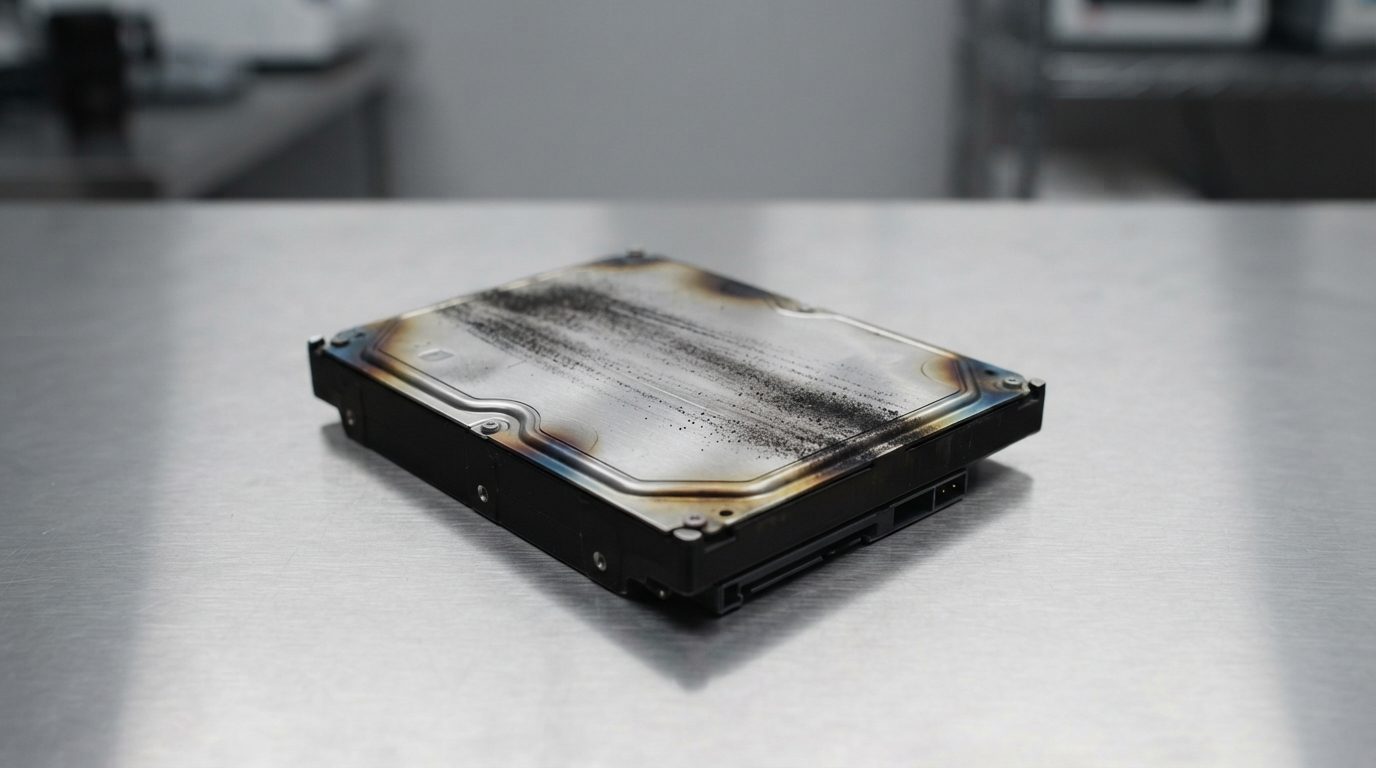
Quick answer: A fire damaged hard drive can sometimes be recovered. The data is stored on metal platters, and these often survive heat better than the electronics around them. Do not power it on, clean it, dry it or open it. Seal it in a clean bag, handle it gently and have a cleanroom lab evaluate it before anyone tries to read it.
Finding a fire damaged hard drive in the remains of an office or home is hard. The building, the furniture and the computer may be gone. The files on that drive, though, are sometimes still there. This guide explains what fire does to a drive, the safe first steps, the mistakes to avoid, and how professional recovery works.
Can data be recovered from a fire damaged hard drive?
Yes, data can often be recovered from a fire damaged hard drive if the platters inside are not badly warped or coated with soot. The metal casing protects the inside surprisingly well. The circuit board on the outside usually takes the worst of the heat.
A hard drive stores data magnetically on platters, which are rigid, polished discs. Tiny read/write heads float just above them on a cushion of air. If the platters stay flat and clean, a lab can often replace the damaged parts around them and read the data. If the platters warp or get scratched, the chances drop sharply. Often only part of the data can be saved.
No one can tell how much is recoverable just by looking at the outside. A blackened drive may be fine inside. A clean-looking drive may have heat damage you can’t see.
What should you do first with a hard drive from a fire?
The first goal is to stop any further damage: keep the drive unpowered, untouched and sealed until a lab can examine it. These steps are safe and need no tools.
- Wait until the site is safe. Only go back into a fire-damaged building when fire officials say you can. No data is worth an injury.
- Take photos where it lies. Photograph the computer, enclosure or server before you move it. This helps with your records and any insurance discussion.
- Lift it gently. Heat can make plastic brittle and connectors fragile. Carry the device level and avoid knocks.
- Leave it in its enclosure if removal is not easy. If the laptop, desktop or external case is melted or warped, do not force it apart. Send the whole unit.
- Seal it as it is. Place the drive or device in a clean, sealable plastic or anti-static bag. If it is wet from firefighting, do not dry it first.
- Label it. Note which computer or server it came from. For RAID or NAS systems, label each disk’s bay position.
- Contact a recovery lab promptly. Soot and extinguisher residue can corrode metal over time, especially with moisture.
How does a fire damage a hard drive?
Fire harms a hard drive in four ways at once: heat, smoke and soot, water or extinguisher residue, and physical impact. Each one calls for a different repair, which is why fire cases are complex.
Heat
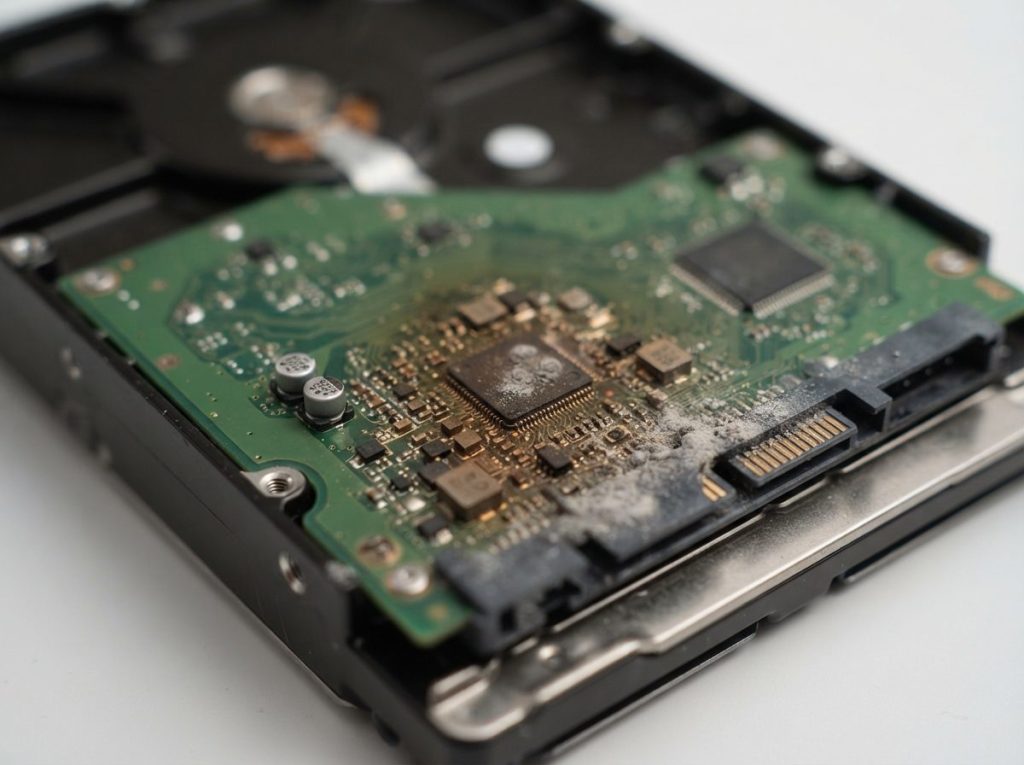
The PCB (printed circuit board) on the underside of the drive is usually the first casualty. Heat can crack chips, lift solder joints and ruin components. Inside, high heat can damage the lubricant on the motor, deform the head assembly and, in severe cases, warp the platters. The magnetic coating itself is fairly tolerant. The physical shape of the platters is usually the bigger concern.
Smoke and soot
Many hard drives have a small breather hole with a filter so air pressure can balance. Heavy smoke can push fine particles through it, or through seals softened by heat. Soot is abrasive. If the drive spins with soot on the platters, the heads can scrape it across the surface and destroy data in rings.
Water and extinguisher residue
Firefighting water carries ash and minerals into electronics. Dry chemical extinguisher powder can also be corrosive. Both leave residue on the PCB and connectors that keeps causing corrosion after the fire is out.
Impact
Falling ceilings, collapsing shelves and cleanup work can drop or crush a device. A hard knock can damage the heads or bend the spindle, just like a drop at home.
What signs point to which kind of fire damage?
The condition of the drive gives clues about the damage, but every case still needs a lab evaluation. Use this table to decide what to do right now.
| What you see | Likely damage | What to do | What not to do |
|---|---|---|---|
| Black soot on the casing, shape intact | Possible soot inside through the breather filter; PCB may be fine or damaged | Seal in a bag and have it evaluated | Do not wipe, blow or vacuum it |
| Burnt, bubbled or discoloured circuit board | PCB failure; data inside may be intact | Keep it unpowered; a lab may repair the board or transfer the ROM/adaptives | Do not swap in a board from another drive |
| Melted enclosure or computer case | Severe heat; possible internal deformation | Send the whole unit without prying it apart | Do not cut or force the case open |
| Wet or damp from firefighting | Corrosion on electronics; residue inside | Seal it as it is and act quickly | Do not use a hair dryer, oven, heater or rice |
| Dented, bent or crushed | Head, spindle or platter damage from impact | Keep it still and get a cleanroom evaluation | Do not shake it or try to straighten it |
| Looks fine but was in a smoky room | Hidden soot or heat stress inside | If the data matters, have it checked before running it | Do not leave it running for long scans |
Why don’t DIY fixes work on a fire damaged drive?
DIY fixes don’t work on fire damage because every problem involved is physical, and the usual home remedies make physical damage worse. Here are the most common mistakes.
- Powering it on “just to check”. A damaged PCB can short and destroy chips that hold drive-specific data. If soot is inside, spinning the platters can scratch them.
- Cleaning the drive. Wiping soot pushes particles into seams and connectors. Internal cleaning needs a cleanroom and proper technique.
- Drying it with heat. Heat after water bakes residue onto surfaces and can warp parts further.
- Opening the cover. Ordinary room air carries dust that can permanently damage platters. Opening a drive belongs in a cleanroom only.
- Running recovery software or disk repair. Software can’t fix physical damage. Tools like CHKDSK, fsck or Disk Utility First Aid also write to the drive, which can make recovery harder.
- Swapping the circuit board. Modern drives store unique calibration data, called ROM/adaptives, on the original board. A donor board without it usually won’t work and can cause harm.
What if the fire reached a laptop, SSD or external drive?
The same rule applies to every device after a fire: don’t power it, don’t charge it and don’t take it apart if the case is damaged. Laptops have batteries that can be dangerous after heat exposure, so never try to charge one.
Solid state drives have no platters or heads, so soot scratching is not the issue. Heat instead affects the controller (the chip that manages the drive) and the NAND memory chips. These cases need different tools. See our SSD data recovery service for details. External drives often contain a standard hard drive inside a USB enclosure. A burnt enclosure doesn’t mean the drive inside is lost.
How do professionals recover data from a fire damaged hard drive?
Professional recovery after a fire follows a careful sequence: assess, repair in a cleanroom, make a controlled copy, then rebuild the files from that copy. At Prime Data Recovery in North York, we follow the same order for every physically damaged drive. You can read more about it on our data recovery process page.
- Free evaluation and diagnosis. We document the external damage, inspect the PCB and decide whether internal inspection is safe.
- Findings and quote. You get a clear explanation and a quote. Nothing proceeds without your approval.
- Physical repair in the cleanroom. Inside our ISO certified Class 10 cleanroom, we inspect the platters and heads, remove contamination and, if needed, perform a head stack replacement using parts from a compatible donor drive. The PCB is repaired or replaced, with the original ROM/adaptives transferred. Firmware problems in the service area (the drive’s internal operating zone) can be addressed with PC-3000 diagnostic tools.
- Controlled imaging. We make a sector-by-sector copy, called imaging, with a DeepSpar Disk Imager. It reads the healthy areas first and handles bad sectors gently, without ever writing to the original.
- Recovery from the image and file verification. The file system (for example NTFS, APFS or exFAT) is rebuilt from the copy. You then check your recovered files in a file verification session before delivery.
- Delivery on a new storage device. Your data is returned on new media, and the damaged drive is never used again.
What affects the chances of recovering a fire damaged hard drive?
The condition of the platters decides most fire recovery cases. Everything else, including the PCB, the heads and the motor, can usually be repaired or replaced.
- Heat intensity and duration: a drive near direct flame for a long time is far riskier than one in a smoky room down the hall.
- Internal contamination: clean platters are a good sign; heavy soot inside lowers the odds.
- Whether it was powered on afterward: drives that were never restarted after the fire usually have better prospects.
- Time and moisture: wet drives left for weeks have more corrosion.
- Donor part availability: some repairs depend on finding closely matching parts.
Partial recovery is a realistic outcome in severe cases. That is why “No Data, No Fee” matters here. If we cannot recover the data you need, you don’t pay for the recovery. For a general idea of what drives the price, see our guide to data recovery cost.
When should you contact a data recovery lab?
Contact a lab as soon as the drive is in your hands if the files matter to you, because a fire damaged drive will never get better on its own. Before you send it, run through this checklist:
- The drive has not been powered on since the fire, or you stopped as soon as you noticed a problem.
- It is sealed in a clean bag, still wet if it was wet.
- RAID or NAS disks are labelled by bay, and no rebuild has been started.
- You have a short list of the most important folders or file types.
- You know which computer, operating system or server it came from.
Prime Data Recovery works with customers across the GTA, and people elsewhere in Canada can ship their devices to our lab. Learn more on our hard drive data recovery page. All data is handled confidentially and in line with Canadian privacy law (PIPEDA).
Key takeaways
- A fire damaged hard drive is often recoverable if the platters are not warped or heavily contaminated.
- Never power on, clean, dry with heat or open a drive from a fire.
- Seal it as it is, label it and get it evaluated promptly to limit corrosion.
- Recovery means cleanroom repair, controlled imaging and rebuilding files from the copy.
- Only a lab inspection can give you a realistic picture of what can be saved.
If you have a drive from a fire, we’re here to help. Prime Data Recovery offers a free evaluation, a confidential process and “No Data, No Fee”. Request your free quote and tell us what happened. We’ll explain your options clearly before any work begins.
Frequently Asked Questions
Can you recover data from a melted hard drive?
Sometimes. A melted plastic enclosure or computer case does not always mean the platters inside are damaged, because the drive's metal casing protects them. If the platters themselves are warped by extreme heat, recovery becomes very difficult or impossible. Only a cleanroom inspection can tell which is the case, so send the whole unit without prying it apart.
My hard drive still works after a fire. Is it safe to keep using it?
It's best not to rely on it. Smoke can leave fine soot inside the drive through its breather filter, and heat can weaken parts without visible signs. If the data matters, have the drive evaluated before running it, rather than copying large amounts or running long scans. Afterward, move your data to new storage and retire the exposed drive.
Does a fireproof safe protect hard drives?
Not always. Many fire-resistant safes are rated to protect paper, which tolerates more heat than electronics and magnetic media. If you store backup drives in a safe, look for one specifically rated for data or digital media. Keeping an off-site or cloud backup is still the most reliable protection against fire.
How quickly should I send a fire damaged hard drive for recovery?
As soon as you safely can. Soot, ash and extinguisher residue can keep corroding metal parts after the fire, and moisture from firefighting speeds this up. A drive that stays sealed and unpowered keeps its best chances, but waiting weeks gives corrosion more time to spread across the circuit board and connectors.
Is recovering data from a house fire drive worth the cost?
It depends on how important the files are and whether you have backups. Family photos, business records and work files that exist nowhere else are often worth an evaluation. A free evaluation shows what condition the drive is in before you commit, and with a No Data, No Fee policy you don't pay for recovery if the data you need can't be recovered.
