
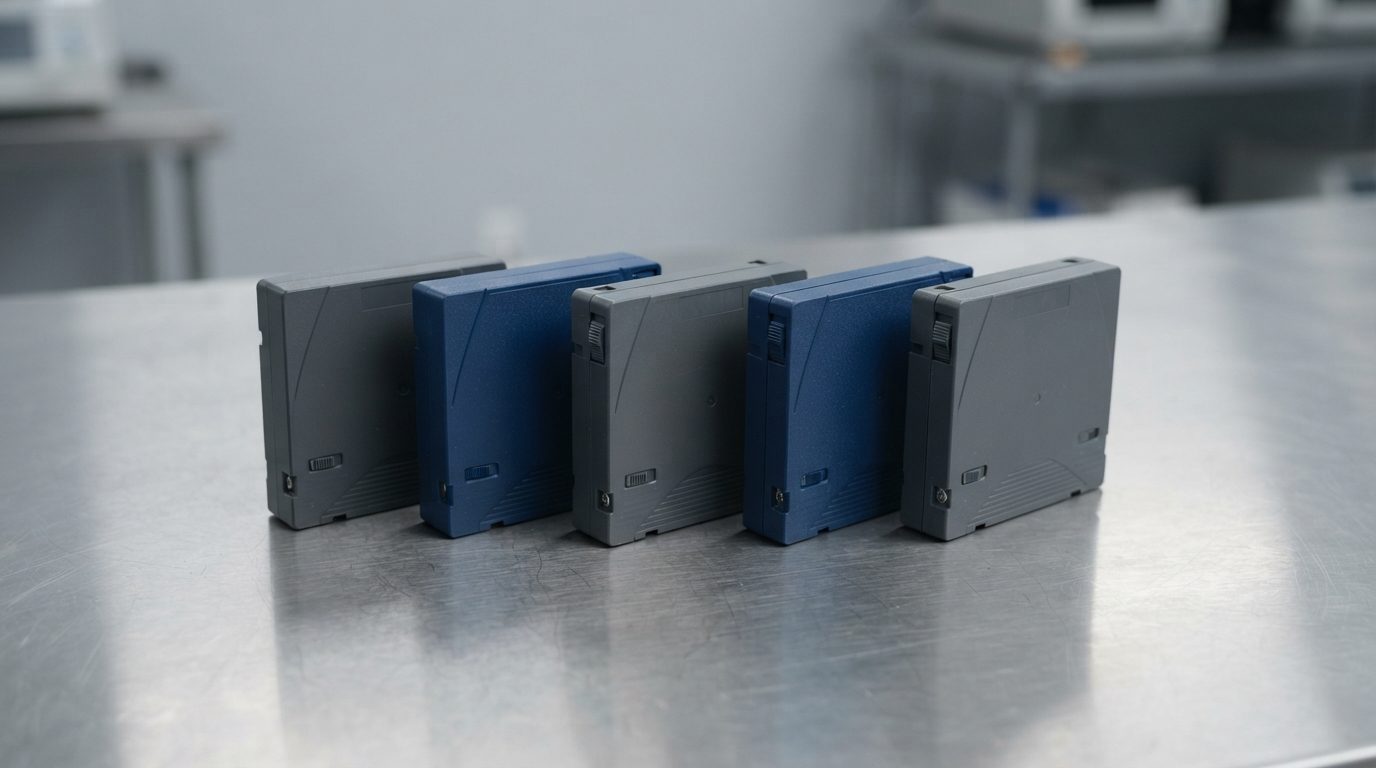
Quick answer: LTO tape data recovery means reading data from a Linear Tape-Open cartridge that won’t restore normally anymore. The usual causes are a lost backup catalogue, a broken leader pin, damaged or contaminated tape, or the wrong drive generation. Stop reloading the tape, don’t relabel it or write to it, and get a professional evaluation if the data matters.
Tape tends to get forgotten until the day someone needs an old backup. Then the restore job fails, the library throws a cartridge error, or the backup software that wrote the tape was retired years ago. This guide covers LTO tape data recovery in plain English: why tapes become unreadable, what you can safely check yourself, and when it’s time to stop and get help.
What is LTO tape data recovery?
LTO tape data recovery is the process of getting files back from a Linear Tape-Open cartridge when a normal restore fails. It can mean repairing the cartridge itself, reading the tape in a controlled way that never writes to it, and rebuilding the backup structure so the files can be pulled out again.
LTO is a magnetic tape format used for backups and archives. It’s popular because it holds a lot of data at a low cost per terabyte. A cartridge sitting on a shelf is also “air-gapped”: ransomware can’t reach it. The weakness is that tape data is very hard to read without the right drive, software and know-how.
Why won’t my LTO tape restore?
Most failed LTO restores come from one of three areas: a logical problem with how the data was written, physical damage to the cartridge or tape, or a drive that can’t read that tape properly. Working out which one you have decides what you should do next.
Logical problems
- Lost or damaged catalogue. Most backup applications keep a separate index, called a catalogue, that records what sits where on each tape. Without it, the software may not recognize the tape at all.
- Retired backup software. Each backup application writes its own proprietary format. If the program, version or licence is gone, the tape may look like unreadable blocks.
- Corrupted LTFS index. Tapes written with LTFS (Linear Tape File System) depend on an index. If that index is damaged, the tape may mount empty or not mount at all.
- Accidental relabel or overwrite. Labelling, erasing or appending a new backup writes a new header or a new end-of-data mark. Drives normally won’t read past that mark.
- Encryption. LTO drives have supported hardware encryption since LTO-4. If the key is lost, the data generally can’t be recovered by anyone.
Physical problems
- Detached or bent leader pin. The small metal pin at the tape’s end is what the drive grabs to thread the tape. If it comes loose, the drive can’t load the cartridge.
- Creased, stretched or snapped tape. This often happens when a drive jams or a cartridge is ejected badly.
- Contamination. Dust, debris, oxide shedding or mould on the tape surface causes read errors and can damage drive heads.
- Water, smoke or fire exposure. Floods, sprinkler systems and fires affect tapes stored in server rooms and offsite boxes.
- Cartridge memory fault. Every LTO cartridge has a small chip, the cartridge memory, that stores usage and tape-position information. When it fails, drives may report a cartridge error.
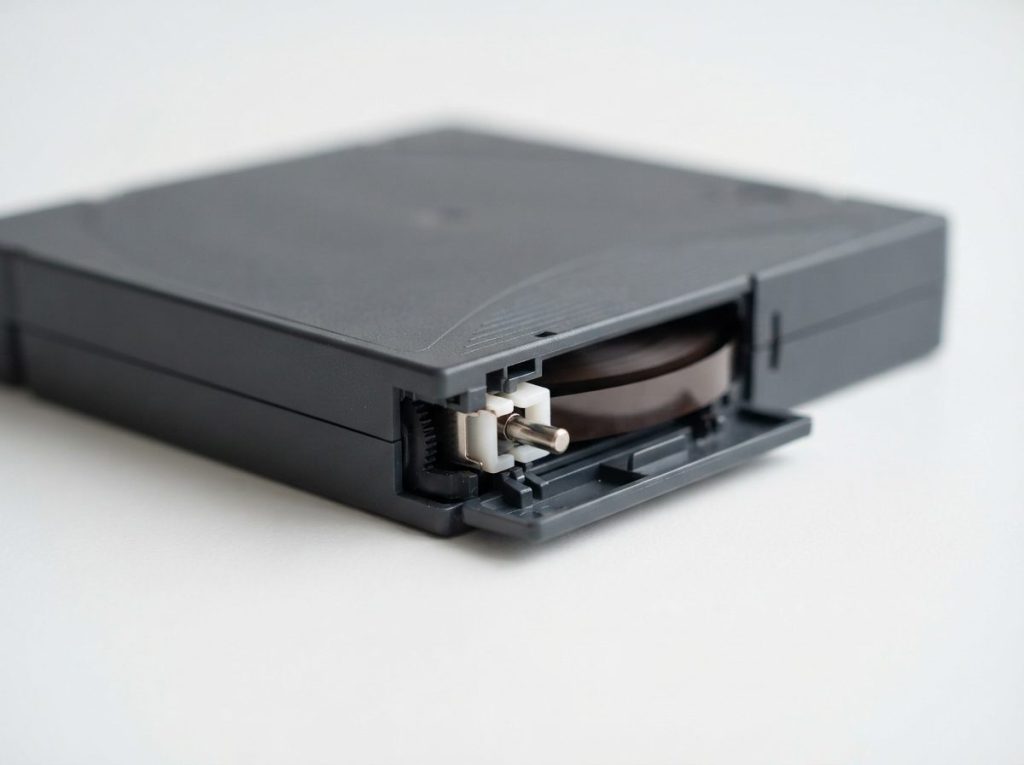
Drive and compatibility problems
An LTO tape can only be read by a drive from a compatible generation. Dirty or worn drive heads, a faulty drive or outdated firmware can also produce errors that look like a bad tape. That’s why it pays to test a suspect drive with a known-good tape before blaming the cartridge.
| Drive generation | Native capacity per cartridge | Can read | Can write |
|---|---|---|---|
| LTO-5 | 1.5 TB | LTO-3, 4, 5 | LTO-4, 5 |
| LTO-6 | 2.5 TB | LTO-4, 5, 6 | LTO-5, 6 |
| LTO-7 | 6 TB | LTO-5, 6, 7 | LTO-6, 7 |
| LTO-8 | 12 TB | LTO-7, 8 | LTO-7, 8 |
| LTO-9 | 18 TB | LTO-8, 9 | LTO-8, 9 |
Note the change at LTO-8: newer drives only go back one generation. If your archive holds LTO-5 or LTO-6 tapes and your current library is LTO-9, those tapes simply won’t load. That isn’t damage. You just need an older drive.
Why is tape harder to recover than a hard drive?
Tape is harder to recover because data is written in one long sequence, usually in a backup program’s private format, rather than in a standard file system you can browse. A hard drive using NTFS or ext4 has a familiar structure. A tape has blocks, filemarks and metadata that only make sense to the software that wrote them.
Compression and encryption add more layers. If one damaged section breaks the sequence, everything after it can become hard to reach until the structure is rebuilt by hand.
| Feature | Proprietary backup format | LTFS |
|---|---|---|
| How files are organized | Blocks described by the backup software’s catalogue | A self-describing index stored on the tape |
| What you need to read it | The original software, a compatible version and ideally the catalogue | An LTFS-capable drive and driver on Windows, macOS or Linux |
| Typical failure | Catalogue lost or software retired | Index corrupted, so the tape mounts empty or not at all |
| Recovery approach | Read raw blocks and work out the format to rebuild file lists | Read the data partition and rebuild the directory from the raw blocks |
What should you do with a tape that won’t read?
The safest first move is to protect the tape from any further writes and stop loading it again and again. Each failed load stresses the leader pin and tape edge, and a faulty drive can damage a healthy cartridge.
- Eject the tape using the backup software or library interface, not by force.
- Slide the cartridge’s write-protect switch to the locked position.
- Write down the tape’s barcode or label, the backup application and version, the drive generation, and the exact error message.
- Check whether the tape generation matches what your drive can read, using the table above.
- Try one known-good tape in the same drive. If that fails too, the drive is the likely problem.
- If the tape still fails in a healthy, compatible drive, stop. Store it upright in its case in a cool, dry place.
| Symptom | Likely cause | What to do | What not to do |
|---|---|---|---|
| Drive won’t load the cartridge or ejects it right away | Detached leader pin, cartridge memory fault or generation mismatch | Check generation compatibility, then stop and seek an evaluation | Don’t force it in repeatedly or open the cartridge |
| “Media error” partway through a restore | Damaged, creased or contaminated section of tape | Note where it failed and stop the job | Don’t rerun the restore over and over |
| Software says the tape is blank or unknown | Lost catalogue, retired software or a different format | Find old catalogue backups and software details | Don’t label, erase, format or append to the tape |
| LTFS tape mounts empty | Corrupted LTFS index | Unmount, write-protect and keep the tape as it is | Don’t copy new files onto it or reformat it |
| Tape jammed in the drive | Mechanical drive fault or broken tape | Power down the drive and get help removing it | Don’t pull the cartridge out by hand |
| Tape got wet or was near a fire | Water, mould, smoke residue or heat distortion | Keep it in a sealed bag and seek an evaluation | Don’t dry it with heat or load it while damp |
| Restore asks for a key or password | Hardware or software encryption | Search key management systems and old records | Don’t expect recovery without the key |
What mistakes make tape recovery harder?
The most damaging mistakes involve writing to the tape or putting it through more mechanical stress. Here are the ones to avoid:
- Relabelling or “inventorying” with overwrite options. A new header or end-of-data mark can cut you off from the old backup.
- Running a new backup to the same cartridge. Anything written over the old data is gone for good.
- Using a drive that just chewed a tape. A damaged drive can harm every cartridge you put in it next.
- Opening the cartridge or splicing tape at home. Fingerprints, dust and bad alignment can ruin the media.
- Loading a cold tape straight away. A tape brought in from a cold vehicle or storage room needs time to reach room temperature, or condensation can form.
- Storing tapes near magnets, motors or degaussers. Strong magnetic fields can erase tape.
Is the original server or array a better place to recover from?
Sometimes the quickest way to get data back is to skip the tape and recover the source system instead. People often reach for tape because a server, RAID array or NAS has failed. If that original storage is still physically there, its disks may hold more recent data than the last good tape.
Ask yourself these questions:
- Is the data on the tape newer than what’s on the failed system? If not, the source system may be the better target.
- Are the failed system’s disks still installed and untouched? If so, label their order and don’t start a rebuild. Our RAID data recovery page explains why.
- Was the server only partly damaged? Our server data recovery service covers failed servers, with 24/7 emergency support.
- Is the tape the only copy anywhere? Then treat the cartridge as irreplaceable and handle it as little as possible.
How does a professional evaluation of a failed tape work?
A professional evaluation follows the same careful order as any serious recovery: diagnose first, quote second, and never write to the original media. At Prime Data Recovery in North York, every job starts with a free evaluation. You get the findings and a quote before any work goes ahead.
- Evaluation and diagnosis. The cartridge, the error history and the software details are reviewed together.
- Findings and quote. You hear what’s wrong and what’s realistic, and nothing proceeds without your approval.
- Physical work if needed. Jobs like reattaching a leader pin or cleaning contaminated tape need a controlled, clean environment. They are never done on an open bench.
- Controlled reading. The tape is read into image files with the cartridge write-protected, so the original is never changed.
- Recovery and verification. The backup structure is rebuilt from the image, and you check the recovered files in a file verification session.
- Delivery. Your data comes back on a new storage device.
You can read more about each stage on our how the data recovery process works page. Results always depend on the type and extent of the damage, so no honest lab can promise recovery before the evaluation.
How can you prevent LTO tape data loss?
Good tape habits cost little and save a lot of stress later. Use this checklist:
- Store cartridges upright in their cases, somewhere cool, dry and stable, away from sunlight and magnetic sources.
- Run test restores on a schedule, not just backups.
- Keep copies of the backup catalogue and encryption keys separate from the tapes.
- Write down which software and version created each tape set.
- Keep at least one drive that can read your oldest archive generation, or migrate old tapes before that drive retires.
- Clean drives with cleaning cartridges only when the drive asks for it.
- Retire cartridges that show repeated errors or reach their rated number of loads.
When should you seek professional help?
You should seek professional help as soon as a tape fails in a healthy, compatible drive, shows any physical damage, or holds data you can’t replace. More attempts rarely fix a physical fault. They usually just add wear. The same goes for tapes from discontinued software, where guessing at formats can lead to relabelling by mistake.
For organizations, there’s a privacy side too. Backup tapes often hold customer and employee records. Prime Data Recovery handles every device confidentially and in line with Canadian privacy law (PIPEDA). That matters when sensitive archives leave your building.
Key takeaways
- LTO restores fail for logical, physical or drive-related reasons. Find out which before acting.
- Write-protect the cartridge and stop repeated loading as soon as errors appear.
- Never label, erase, append to or reformat a tape you need data from.
- LTO-8 and LTO-9 drives only read one generation back, so older tapes need older drives.
- Lost encryption keys usually mean the data can’t be recovered.
- The failed server or array may be a better recovery target than the tape.
Get help with an unreadable backup
If a tape restore has failed and the original system is down too, tell us what you have: the tape generation, the backup software, the error messages and the state of the source server. Prime Data Recovery in North York, Toronto offers a free quote and evaluation, confidential handling and a “No Data, No Fee” promise. Customers across Canada can ship their media. Request a free evaluation and we’ll explain your options clearly.
Frequently Asked Questions
Can data be recovered from an LTO tape without the original backup software?
Often, yes, though it takes more work. The tape's raw blocks can be read into image files and the backup format studied to rebuild file lists and extract the data. Success depends on whether the data is compressed or encrypted and how well the format can be understood. Old catalogue files, software version details and installation media all make the job easier, so gather whatever you can find.
Will my new LTO-9 drive read old LTO-6 tapes?
No. LTO-9 drives read and write only LTO-8 and LTO-9 cartridges, and LTO-8 drives only handle LTO-7 and LTO-8. To read LTO-6 tapes you need an LTO-6, LTO-7 or LTO-8 drive, depending on the model. A tape that won't load in a newer drive isn't necessarily damaged. It may just be the wrong generation for that drive.
Is it possible to recover an encrypted LTO tape if the key is lost?
In practice, almost never. LTO hardware encryption uses strong encryption, and without the correct key the data stays unreadable. Before you give up, search key management servers, old backup server configurations, password vaults and documentation from whoever set up the system. If the key turns up, the tape can be read normally or recovered even when the cartridge has other problems.
What should I do if an LTO tape got wet in a flood?
Don't load it in a drive and don't dry it with heat. Keep the cartridge in a sealed plastic bag so it doesn't dry out unevenly, and keep it cool. Loading a damp tape can make it stick, stretch or snap, and it can contaminate the drive. Get a professional evaluation as soon as you can, because mould can start to grow on wet media.
How long do LTO tapes last in storage?
Manufacturers commonly quote archival life measured in decades, but only under good storage conditions: cool, dry, stable temperatures, cartridges stored upright and away from magnetic fields. Real-world life also depends on how often a tape was loaded and how it was handled. Because of this, regular test restores matter more than any rated lifespan when you're judging whether an archive is still readable.
Can I ship LTO tapes for data recovery from outside Toronto?
Yes. Prime Data Recovery accepts devices shipped from across Canada. Lock the write-protect switch, put each cartridge in its original plastic case, and pack it with plenty of padding in a sturdy box. Include a note listing the tape generation, the backup software and the errors you saw. Request a free quote first so you know what to send and how it will be handled.
